QR Codes and Custom Designs
One of the most beloved and enduring features of Animal Crossing: New Leaf is the ability to personalize your town and your character through custom designs. These designs can be applied to clothing, furniture, paths, and even the face cut-out standees found in the Plaza. The magic behind sharing and acquiring these unique creations lies in the ingenious use of QR Codes. This guide will walk you through everything you need to know about creating, sharing, and scanning QR Codes to truly make your town your own.
Unlocking the QR Code Machine
Before you can dive into the world of QR Codes, you'll need to unlock the special sewing machine in the Able Sisters' tailor shop. This isn't available from day one, but rather after demonstrating your commitment to custom design. Here's how to get access:
- Visit the Able Sisters' Shop: This shop is located on Main Street.
- Purchase Designs Regularly: Buy at least 10 custom designs from the display mannequins or create your own designs using the in-shop design editor. There's no strict counter visible, but consistent engagement with the design aspect of the shop is key.
- Talk to Sable: Sable, the quiet hedgehog sister who is always at the sewing machine, will initially be shy. Speak to her every day. After several days of persistent conversation (typically 10-12 days), she will begin to open up to you.
- Receive the Sewing Machine: Once Sable considers you a friend, she will eventually allow you to use her sewing machine, which is the "QR Code machine." This typically happens after she starts sharing stories about her family.
Once unlocked, the sewing machine will always be available for your QR Code needs.
Scanning QR Codes from External Sources
The internet is a treasure trove of player-made designs, ranging from intricate path patterns to replica outfits from your favorite games and movies. Scanning these designs into your game is a straightforward process:
- Find a QR Code: Search online communities (e.g., Reddit, Tumblr, dedicated fan sites) for "Animal Crossing New Leaf QR codes." You'll find images containing four individual QR codes, each representing a design slot.
- Go to the Able Sisters' Shop: Head to Main Street and enter the Able Sisters' tailor shop.
- Interact with the Sewing Machine: Approach the large sewing machine in the back of the shop (Sable's machine) and press 'A'.
- Select "Read a QR Code": From the menu options, choose this selection.
- Choose a Design Slot: The game will ask you which of your 10 custom design slots you want to save the new design into. Select an empty slot, or overwrite an existing one (be careful not to lose a design you want to keep!).
- Align the QR Code: The 3DS camera will activate. Hold your 3DS steady and align the first of the four QR codes within the on-screen frame. The 3DS will automatically scan it.
- Repeat for All Four Codes: Each design typically consists of four QR codes. You'll need to scan all four in sequence for the full design to be imported.
- Save the Design: Once all four codes are scanned, the design will be displayed. Confirm that you want to save it.
Important Note: Each design slot can only hold one design. If a creator has made a set of designs (e.g., a full outfit with a top, bottom, and hat, or multiple path pieces), you will need to scan each piece into a separate design slot.
Creating and Sharing Your Own QR Codes
Once you've honed your design skills, you might want to share your masterpieces with the world. The QR Code machine makes this incredibly easy:
- Create Your Design: Use the design editor within the Able Sisters' shop to create your custom pattern. You can edit existing designs or start from scratch.
- Go to the Able Sisters' Shop: Head to Main Street and enter the Able Sisters' tailor shop.
- Interact with the Sewing Machine: Approach Sable's sewing machine and press 'A'.
- Select "Make a QR Code": From the menu, choose this option.
- Choose the Design to Share: A list of your current custom designs will appear. Select the one you wish to convert into a QR Code.
- Confirm Creation: The game will process your design and generate the four-part QR Code.
- Save the QR Code Image: The 3DS will display the four QR codes on its screen. You can either:
- Take a Screenshot: Press L+R simultaneously to take a screenshot of the top screen. This will save the image to your 3DS's SD card. You can then transfer this image to a computer to share online.
- Photograph with an External Device: Use a smartphone or digital camera to take a clear picture of your 3DS screen. Ensure good lighting and focus for scannability.
Pro Tip: When sharing your QR codes online, it's helpful to include a clear image of what the design looks like in-game (e.g., worn by your character, placed as a path) so others can see the final result before scanning.
Types of Custom Designs and Their Uses
Custom designs are incredibly versatile and can transform your town's aesthetic. Here's a breakdown of what you can create:
- Regular Designs: These are flat patterns that can be applied to:
- Clothing: Shirts, dresses, hats, and accessories.
- Furniture: Customize certain furniture items at Re-Tail.
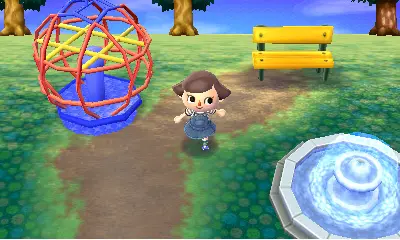
- Paths: Lay down unique path designs on the ground to create roads, plazas, or garden borders.
- Walls/Floors: While less common, you can create custom wallpapers and flooring for your home.
- Pro Designs: These advanced designs allow for more complex clothing items with sleeves and different front/back patterns. They are unlocked after purchasing 10 regular custom designs from the Able Sisters. Pro Designs can be applied to:
- Shirts: With sleeves.
- Dresses: With sleeves and different front/back/sleeve patterns.
- Hats: More detailed hat designs.
- Face Cut-Out Standees: At the Photo Booth in the Plaza, you can apply a custom design to a standee, allowing you to create fun photo opportunities with your villagers.
Common Pitfalls and Tips
- Limited Design Slots: You only have 10 regular design slots and 10 Pro Design slots. Manage them wisely! You can delete old designs to make room for new ones.
- Overwriting Designs: Be careful when scanning new QR codes or creating new designs, as you might accidentally overwrite a design you wanted to keep.
- Scanning Quality: Ensure the QR code image you are scanning is clear, well-lit, and not blurry or distorted. Poor quality images may not scan correctly.
- Organize Your Designs: If you're downloading many path pieces, consider naming them systematically (e.g., "Path Corner TL," "Path Straight H") to make it easier to lay them out in your town.
- Experiment! Don't be afraid to try your hand at creating your own designs. Even simple patterns can add a lot of charm to your town.
By mastering the art of QR Codes and custom designs, you unlock an unparalleled level of creativity and personalization in Animal Crossing: New Leaf, truly making your town a unique reflection of your style.