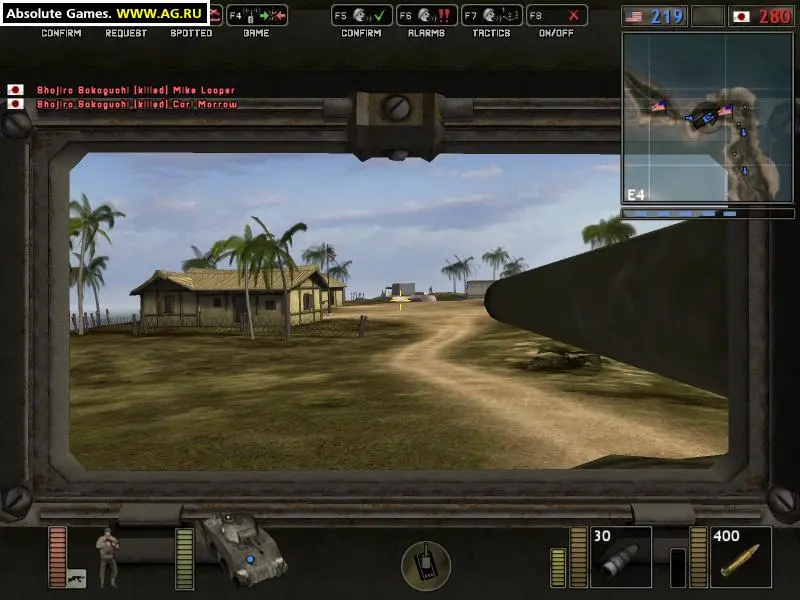
The Battlefield 1942 UI provides crucial information during gameplay. In the bottom-right corner, you'll find your health bar and ammo count for your currently equipped weapon. The mini-map in the top-left corner displays your position, friendly units, and objective locations. Important messages, such as capture point status or kill notifications, appear in the center of the screen. The score counter, usually at the top, shows the tickets remaining for both teams. Pay close attention to the objective indicators, which are often arrows or icons pointing towards flags or mission-critical areas. Learning to quickly glance at these elements will significantly improve your situational awareness and decision-making on the battlefield.