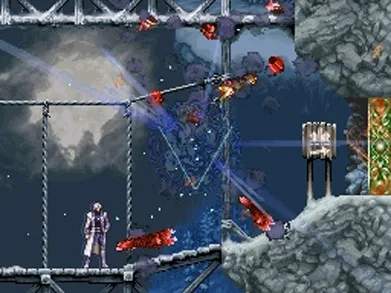
Touch Screen Mechanics
While Castlevania: Dawn of Sorrow is primarily a traditional platformer, it cleverly integrates the Nintendo DS's touch screen for specific, impactful mechanics. Mastering these will be crucial for both combat efficiency and navigating certain puzzles. This section details how and when to utilize the touch screen effectively, transforming potential frustration into strategic advantage.
Magic Seal System: The Art of Finality
The most prominent and critical use of the touch screen is the Magic Seal system. These mystical seals are not merely a gimmick; they are an absolute requirement to successfully defeat bosses and certain powerful enemies, preventing them from regenerating their health and continuing the fight. Failing to draw a seal correctly will result in the boss regaining a significant portion of its HP, making an already challenging encounter exponentially harder. Precision and speed are paramount.
- Activation: The Moment of Truth
After depleting a boss's HP to zero, a distinctive Magic Seal icon will appear prominently on the bottom screen, accompanied by a unique sound cue. This is your immediate signal to cease attacking and prepare your stylus. The game briefly pauses, giving you a precious few seconds to initiate the seal drawing process.
- Drawing the Seal: Precision Under Pressure
Using the stylus, you must accurately trace the pattern displayed on the touch screen. Each boss has a unique Magic Seal, ranging from simple geometric shapes (like Seal 1's triangle) to more complex, multi-stroke designs that require careful attention to order and direction. The game provides visual cues for the starting point and direction of each stroke.
- Seal Levels: Progressive Mastery
you will acquire higher-level Magic Seals. These seals are essential for defeating increasingly powerful foes. For instance, the first boss, Mandrake, requires a Level 1 Seal. Later bosses like Balore will demand a Level 2 Seal, and eventually, you'll need up to a Level 5 Seal for the most formidable enemies. It is crucial to ensure you have the appropriate seal level before entering a boss fight, as you cannot acquire higher levels mid-battle. Always check your current seal level in the menu if you're unsure.
- Accuracy is Key: Perfect, Good, or Fail?
The game judges your drawing based on both speed and precision. A perfect trace, executed swiftly and accurately, will result in a "Perfect" rating and instantly defeat the boss. A less accurate but still recognizable trace will be rated "Good," which also defeats the boss but might have a slightly longer animation. However, a poorly drawn or incomplete seal will result in a "Fail," allowing the boss to recover a substantial amount of HP (typically 20-30%), forcing you to re-engage and deplete its health bar once more. Practice makes perfect, and understanding each seal's pattern beforehand can save you a lot of grief.
- Magic Seal Acquisition Locations: Your Path to Power
Mastering the Magic Seal system means knowing where and when you'll gain access to each level. Here's a comprehensive guide to their acquisition:
- Seal 1 (Level 1): Acquired automatically by Soma Cruz early in the game, shortly after your first conversation with Genya Arikado and before your initial boss encounter with Mandrake. This seal is fundamental and teaches you the basics of the system.
- Seal 2 (Level 2): Obtained after defeating Balore in the Wizardry Lab. Balore is a massive demon whose weak point is his eye. Use rapid attacks and be prepared for his ground slams and laser beams. Once his HP is depleted, draw the Level 2 Seal to finish him.
- Seal 3 (Level 3): Found after conquering Malphas in the Condemned Tower. Malphas is a giant bird-like demon that attacks with feathers and dive bombs. Utilize souls that allow for upward attacks or projectiles. After a challenging aerial battle, apply the Level 3 Seal.
- Seal 4 (Level 4): Awarded upon defeating Dario Bossi (first encounter) in the Garden of Madness. Dario is a human antagonist who wields fire magic. His attacks are fast and cover a wide area. Focus on dodging his fire pillars and striking between his attacks. Once his HP is depleted, draw the Level 4 Seal to conclude this initial confrontation. Note: Dario will be encountered again later in the Demon Guest House, but Seal 4 is specifically tied to this first battle.
- Seal 5 (Level 5): The final and most complex seal, acquired after defeating Aguni in the Subterranean Hell. Aguni is a formidable fire demon with powerful flame-based attacks and a large hitbox. Equipping ice-elemental souls or weapons can significantly aid in this battle. Successfully drawing the Level 5 Seal after defeating Aguni is a testament to your mastery of the system.
Map Navigation: Your Stylus as a Cartographer
Beyond the intensity of boss battles, the touch screen also provides a convenient and intuitive way to navigate your map. While the top screen displays your immediate surroundings, the bottom screen offers a larger, interactive overview of Dracula's Castle.
- Scrolling: Effortless Exploration
Use the stylus to drag and scroll the map across the bottom screen. This allows you to view areas you've already explored, identify unexplored corridors, or plan your next route without pausing the action on the top screen. It's particularly useful for backtracking or checking for missed rooms.
- Zooming: Detail at Your Fingertips
Tapping specific areas on the map can sometimes zoom in, providing a more detailed view of rooms and corridors. While not a universal zoom function, it can highlight connections between rooms or reveal subtle details. This is particularly useful for identifying hidden passages, teleporter locations, or unvisited sections that might contain secrets.
- Marking Points of Interest: Personal Annotations
While the game doesn't feature an in-built custom marker system, many players utilize the stylus to mentally (or even physically, with a screen protector and erasable marker) mark areas on the touch screen map for later investigation. This could include rooms with inaccessible items (requiring a specific soul like the Hippogryph's double jump), suspicious walls that might hide breakable passages, or areas where you encountered a particularly tough enemy you wish to avoid or farm.
Menu Interaction: Streamlined Control
Beyond in-game mechanics, the touch screen significantly streamlines menu navigation, offering a faster and often more intuitive alternative to traditional button inputs. This is especially beneficial for managing Soma's vast array of equipment and souls.
- Equipment and Items: Quick Swaps
You can tap directly on menu options, equipment slots (weapon, armor, accessory), or item icons to select them. This can be considerably faster than cycling through options with the D-pad and A button, especially when you need to quickly change gear for a specific enemy or boss weakness.
- Soul Management: Drag-and-Drop Efficiency
When managing your collected souls, the touch screen truly shines. It allows for quick selection and equipping of various abilities. You can drag and drop souls directly into their respective slots (Bullet, Guardian, Enchant, Ability). This visual and tactile method is often more intuitive for many players than navigating lists, allowing for rapid customization of Soma's abilities to suit any situation.
Stylus Recommendations: Enhancing Your Experience
For optimal performance with Magic Seals, especially during high-stakes boss battles, a good quality stylus is highly recommended. While the Nintendo DS's included stylus is functional, many players find that a slightly thicker, more ergonomic, or even a third-party precision stylus can offer better control and accuracy. This can make the difference between a "Perfect" seal and a "Fail," potentially saving you from re-fighting a boss. Experiment with different styluses to find what feels most comfortable and precise for your drawing style.