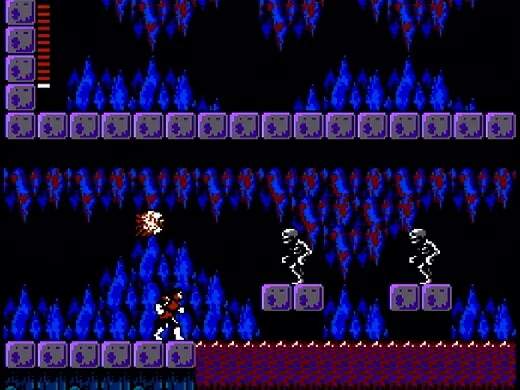
The UI in Castlevania II provides vital information about Simon's current status and resources. Keeping an eye on these elements is key to managing your health and progress:
Top Left Corner:
- Simon's HP Bar: Represents Simon's health. When it depletes, Simon loses a life.
- Hearts: These are your currency in Castlevania II, used to purchase items and use sub-weapons. They are dropped by defeated enemies and found in candles.
Top Right Corner:
- Day/Night Cycle Indicator: A small sun or moon icon indicates whether it is day or night. This is crucial as enemy strength and NPC dialogue change drastically between cycles.
- Current Time: A numerical display showing the in-game time. Each 'day' lasts approximately 6 minutes of real-time.
Bottom Left Corner:
- Equipped Sub-Weapon: Shows the icon of your currently selected sub-weapon.
- Sub-Weapon Ammunition: Displays the number of hearts required to use your equipped sub-weapon.
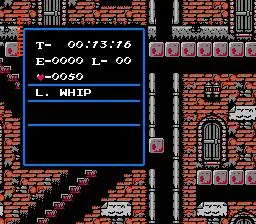
Inventory Screen (Start Button):
- Simon's Level: Your current experience level. Leveling up increases your maximum HP.
- Experience Points (EXP): Shows your current EXP and the amount needed for the next level.
- Equipped Items: Displays your current whip, shield, and any equipped special items.
- Inventory Slots: Shows all items you currently possess, including Dracula's body parts.
Pay close attention to the day/night cycle. Nightfall brings stronger enemies and often makes travel more dangerous, but also opens up new dialogue options with certain NPCs. Managing your hearts is also critical, as they are both your ammunition and your money.