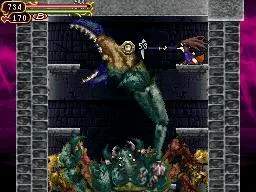
Understanding Shanoa's movement and combat options is the first step to success. The Nintendo DS's dual screens are utilized effectively, with the top screen displaying the action and the bottom screen showing the map and Glyph management. Here's a breakdown of the default controls:
- D-Pad: Move Shanoa (left/right), crouch (down), enter doors (up).
- A Button: Jump. Press again in mid-air for a double jump (after acquiring the proper Glyph).
- B Button: Attack with your equipped Glyph. Hold for continuous attacks.
- X Button: Use your equipped Sub-Weapon Glyph.
- Y Button: Absorb Glyphs from enemies or statues. This is a crucial mechanic for learning new abilities.
- L Button: Backdash. Essential for dodging enemy attacks and repositioning.
- R Button: Guard. Reduces damage from most attacks.
- Start Button: Open the menu.
- Select Button: Toggle map display on the top screen.
Practice these movements in the early areas to get a feel for Shanoa's agility and combat flow. Mastering the backdash and timely jumps will save you from countless hits.