
The UI provides vital information about Alucard's status and surroundings. Familiarize yourself with these elements:
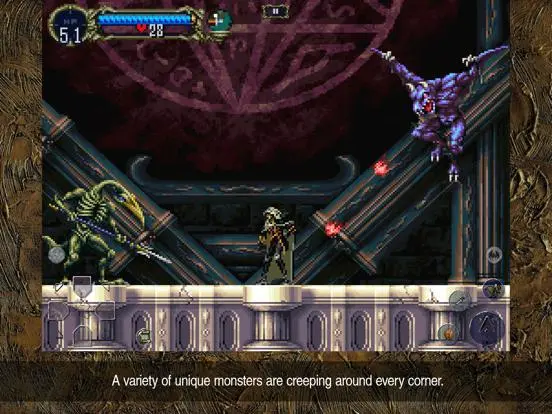
- Top-Left Corner:
- HP Bar (Red): Alucard's current health. Depleting this results in a Game Over.
- MP Bar (Blue): Alucard's magic points, used for spells and some special weapon attacks. Regenerates slowly over time.
- Hearts (Yellow): Currency for sub-weapons. Collected from candles and enemies.
- Top-Right Corner:
- Gold: Your current accumulated gold, used for purchasing items from the Librarian.
- Time: The in-game timer. Primarily for speedrunning, but also tracks overall play time.
- Bottom-Left Corner:
- Equipped Weapon Icon: Shows the icon of your currently equipped weapon.
- Equipped Sub-Weapon Icon: Shows the icon of your currently equipped sub-weapon.
- Bottom-Right Corner:
- Familiar Icon: If a familiar is active, its icon will appear here.
Regularly checking your HP and MP is crucial for survival. The map (accessed via Select or the menu) is your most important navigation tool, revealing explored areas and points of interest. check your inventory frequently to manage your equipment and consumables.