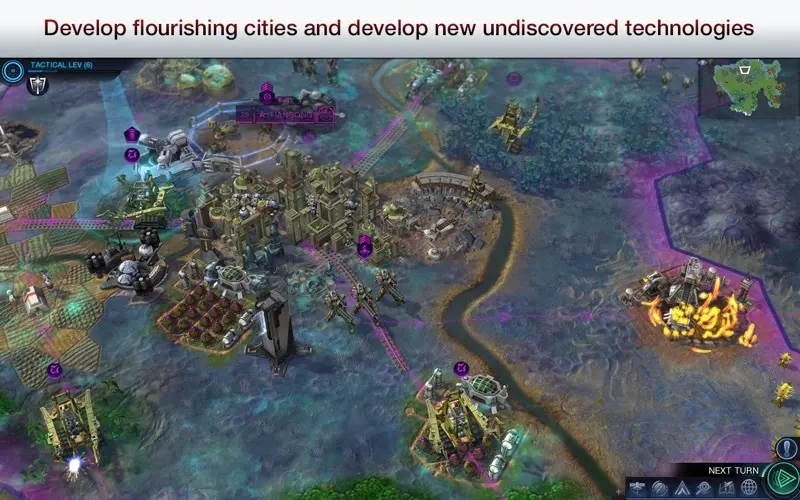
The User Interface (UI) in Civilization: Beyond Earth provides all the information you need to manage your empire effectively. At the top of the screen, you'll find your primary resource indicators: Science (light bulb icon), Culture (scroll icon), Energy (lightning bolt icon), and Health (heart icon). Below these, you'll see your current turn number and the year. The mini-map in the bottom right corner allows for quick navigation and displays important strategic information like resource locations and alien nests. The left sidebar contains crucial tabs for managing your Cities, Units, Technology Web, Virtues, Affinity, and Diplomacy. Regularly checking these tabs is essential for making informed decisions. The bottom center of the screen displays information about your currently selected unit or city, including its actions and available builds. Familiarizing yourself with these elements will allow you to efficiently manage your empire and react to challenges.