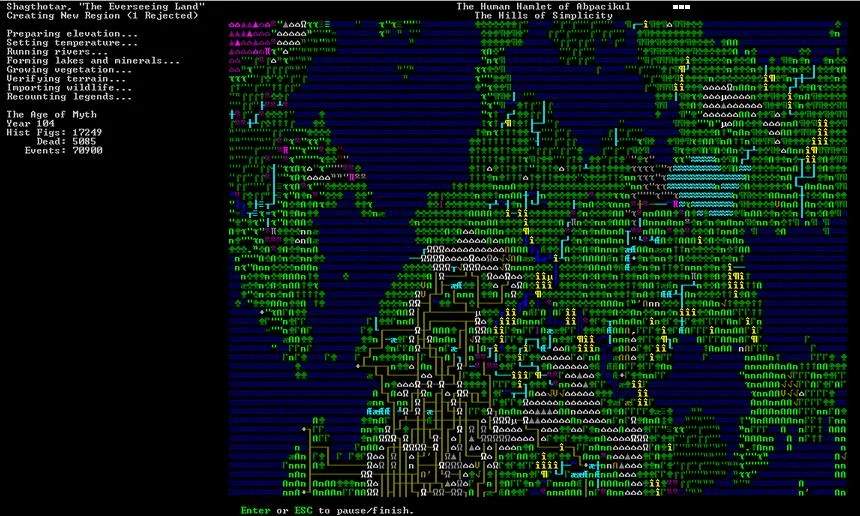
Exporting the ASCII Map
Exporting the ASCII map in Dwarf Fortress is a valuable technique for sharing your fortress dess, documenting your progress, or simply creating a visual representation of your underground empire. This feature allows you to generate a text-based image of your current Z-level, which can then be saved as a file and viewed in any text editor or image viewer that supports plain text.
The process for exporting the ASCII map is straightforward and can be accessed through the game's main menu. Here's how to do it:
- Pause the Game: Ensure your game is paused by pressing the Spacebar. This prevents any changes from occurring while you're preparing to export.
- Access the Options Menu: Press the Esc key to bring up the main options menu.
- Select 'Export ASCII Map': Within the options menu, you will find an option labeled 'Export ASCII Map'. Select this option.
- Choose the Z-Level: The game will then prompt you to specify which Z-level you wish to export. You can enter the Z-level number directly or use the provided options to select the current level, the level above, or the level below.
- Save the File: After selecting the Z-level, the game will ask you to name the file and choose a location to save it. The exported map will be saved as a plain text file (e.g.,
map.txt).
Once exported, you can open this text file with any text editor. The characters within the file will precisely represent the ASCII graphics of your chosen Z-level, including terrain, structures, and dwarf positions. This can be particularly useful for:
- Sharing Dess: Showcasing your fortress layouts to friends or online communities.
- Documentation: Creating a visual record of your fortress's evolution over time.
- Troubleshooting: Helping others diagnose issues by providing a clear visual of your fortress's layout.
This feature is a simple yet powerful tool for interacting with and sharing your Dwarf Fortress creations.