Controls
Mastering the controls in Five Nights at Freddy's 2 is paramount to your survival. Unlike many games, FNAF 2 uses a minimalist control scheme, requiring precise timing and strategic application rather than complex button combinations. Understanding each interaction and its implications is crucial for managing the animatronic threats.
Mouse-Based Interactions
The majority of your actions in FNAF 2 are executed using your mouse. Precision and speed are key when interacting with your environment.
- Camera Monitor (Center Monitor Icon): To access the Security Camera System, move your mouse cursor to the bottom center of the screen. A small monitor icon will appear. Click and hold this icon, then drag it upwards to raise the monitor. This action is critical for tracking animatronic movements and winding the Music Box.
- Lowering the Monitor: To exit the Security Camera System, simply move your mouse cursor to the bottom center of the screen again. The monitor icon will reappear. Click and hold, then drag it downwards to lower the monitor. Be swift, as lowering the monitor leaves you vulnerable.
- Flashlight (Left-Click): While in your office (monitor down), clicking the left mouse button will activate your flashlight. This is essential for checking the Main Hallway directly in front of you and the two side vents. The flashlight has unlimited power but should be used judiciously to avoid attracting animatronics.
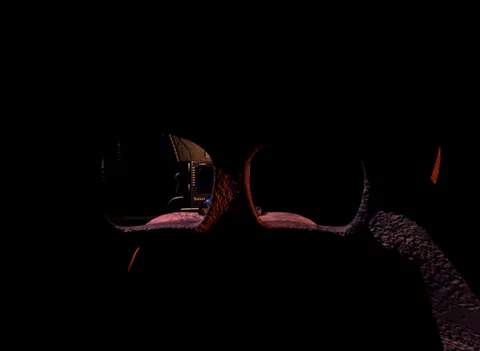
- Freddy Fazbear Head (Right-Click): While in your office (monitor down), clicking the right mouse button will equip the Freddy Fazbear Head. This is your primary defense against most animatronics that enter your office. You must equip it quickly when an animatronic is present and keep it on until they leave.
Ventilation System Management
The two ventilation shafts (left and right) are major entry points for several animatronics. Effective management of these vents is a core survival strategy.
- Checking Vents (Flashlight): To check the left vent, move your mouse cursor to the far left side of the screen. A small arrow will appear, indicating you can look into the vent. Click the left mouse button to shine your flashlight into it. Repeat this process for the right vent by moving your cursor to the far right.
- Vent Lights (Office Interaction): Unlike the first game, there are no physical buttons for vent lights. The flashlight itself serves as the light source when checking the vents.
Music Box Winding
The Music Box, located in CAM 11, is a critical mechanic for keeping The Puppet at bay. Failure to wind it will result in an immediate game over.
- Accessing CAM 11: Raise your Security Camera Monitor. Navigate to CAM 11 (Prize Corner).
- Winding Mechanism: Once on CAM 11, you will see a "Wind Music Box" button or icon. Click and hold this button to wind the Music Box. You must keep it wound throughout the night. A small progress bar will indicate how much winding is left.
- Prioritization: Winding the Music Box should be a top priority, especially when animatronics are not directly threatening your office. Integrate short bursts of winding into your camera checks.
Strategic Control Application
Your controls are your only defense. Develop a rhythm and prioritize actions based on immediate threats.
- Quick Monitor Checks: Practice raising and lowering the monitor rapidly. This allows for quick checks of animatronic positions and Music Box winding without prolonged vulnerability.
- Flashlight Sweeps: Regularly sweep your flashlight down the Main Hallway and into both vents. This reveals animatronics approaching your office.
- Mask Reflex: Develop an instant reflex to equip the Freddy Fazbear Head when an animatronic appears in your office or hallway. Delay can be fatal.
Remember, every second counts. Efficient and precise control usage is the foundation of surviving each night in Freddy Fazbear's Pizza.