Office Layout & Interactables
Your office in Freddy Fazbear's Pizza is your last line of defense against the animatronic onslaught. Understanding its layout and how to effectively use its interactable elements is paramount to survival. Unlike the first game, there are no doors to close, forcing a more proactive and frantic defense strategy.
Office Overview
- Central Desk: This is your primary vantage point. You cannot move from this spot. All interactions are initiated from here.
- Three Entrances:
- Main Hallway (Front): Directly in front of you. This is the primary approach for many animatronics, including Freddy, Bonnie, Chica, and Foxy.
- Left Air Vent: To your immediate left. Often used by Balloon Boy, Mangle, and Toy Bonnie.
- Right Air Vent: To your immediate right. A common entry point for Toy Chica, Mangle, and Balloon Boy.
- Party Room 1 (Behind You): While not directly interactable, this room is visible through the office's rear window. The Puppet often resides here, and its music box must be wound remotely.
Key Interactables & Strategies
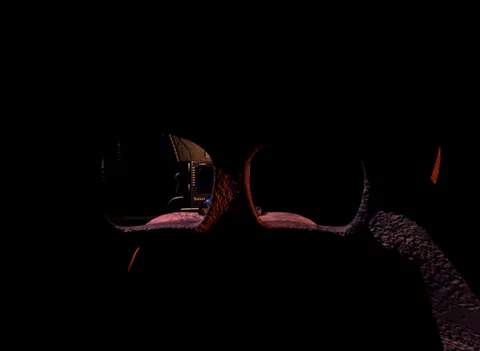
- Freddy Fazbear Head (Mask):
- Location: Immediately accessible by pressing the 'S' key or clicking the mask icon at the bottom of the screen.
- Strategy: This is your most crucial defensive tool. Don the mask instantly when an animatronic (excluding Foxy and The Puppet) enters your office or is visible in the vents.
- Timing is Critical: Don the mask *before* the animatronic fully enters the office. If they are already standing in front of you without the mask on, it's often too late.
- Vent Intruders: If you see an animatronic's face in a vent opening, immediately put on the mask. Wait for their footsteps to recede before removing it.
- Office Intruders: If an animatronic (e.g., Toy Freddy, Bonnie, Chica) is standing in your office, put on the mask and wait for them to leave. They will often stand there for several seconds. Do not remove the mask until they are gone.
- Foxy Exception: The mask does NOT work on Foxy. If Foxy is in your office, you must flash your flashlight repeatedly until he leaves.
- Flashlight:
- Location: Activated by holding the 'W' key or clicking the flashlight icon.
- Strategy:
- Main Hallway: Regularly flash the main hallway to deter Foxy. If Foxy is visible, flash him several times until he retreats. This also checks for other animatronics approaching.
- Vents: Flash into the vents to check for animatronics. If you see one, immediately put on the Freddy Mask.
- Power Management: The flashlight consumes power. Use it judiciously, especially in later nights. Quick bursts are more efficient than prolonged illumination.
- Monitor (Security Cameras):
- Location: Accessed by pressing the 'C' key or clicking the monitor icon at the bottom of the screen.
- Strategy:
- Music Box: The primary reason to use the cameras is to wind The Puppet's music box, located in CAM 11 (Prize Corner). Failure to do so will result in a jumpscare. Keep the music box wound at all times.
- Animatronic Tracking: Use the cameras to track animatronic movements, particularly Foxy in the Main Hall (CAM 07) and the vents (CAM 05 and CAM 06).
- Power Consumption: The monitor consumes power while active. Minimize its usage by checking the music box and quickly scanning key cameras, then lowering it.
- Blind Spots: Remember that animatronics can move quickly and appear in your office or vents even if they weren't on camera moments before. Don't rely solely on the cameras for immediate threats.