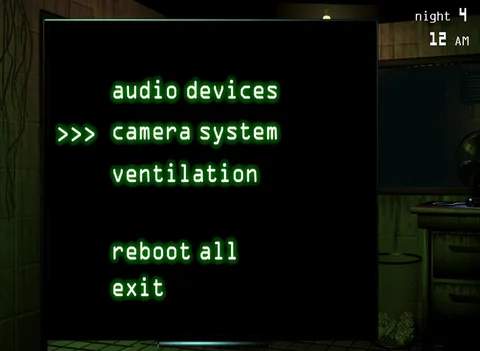
The controls in Five Nights at Freddy's 3 are straightforward, primarily relying on your mouse. You will interact with various elements on your monitor and within your office. The main screen displays your office, where you can look left and right by moving your mouse to the edges of the screen. At the bottom of the screen, you'll find the 'Maintenance Panel' button, which opens your system controls. The 'Camera System' button, also at the bottom, allows you to view the various cameras throughout Fazbear's Fright. Pay close attention to the indicators on your monitor, such as the 'Audio Devices' and 'Ventilation' status, as these are critical for survival. A red 'X' indicates a system error, requiring immediate attention.