Phantom BB's Behavior
Phantom Balloon Boy, or Phantom BB, is one of the more common and arguably one of the most disruptive phantom animatronics you'll encounter in Five Nights at Freddy's 3. Unlike Springtrap, he doesn't directly end your run, but his jumpscare can set you up for a swift demise if you're not careful. Understanding his patterns and how to avoid him is crucial for survival, especially in later nights.
Appearance and Trigger
- Location: Phantom BB exclusively appears on your monitor screen when you are viewing the camera feeds. He can manifest on any camera, though he seems to have a preference for cameras closer to your office, such as CAM 07, CAM 08, and CAM 09.
- Visual Cue: You will see his distorted, grinning face suddenly appear in the center of the camera feed, often obscuring a significant portion of the view. This appearance is usually accompanied by a low, static-like sound effect.
- Trigger Condition: His appearance is largely random, but prolonged viewing of a single camera feed increases the likelihood of him showing up. Rapidly flipping through cameras can also trigger him if you linger on one for even a moment too long.
Avoiding the Jumpscare
The key to dealing with Phantom BB is immediate action. His jumpscare is not instantaneous upon appearance; you have a small window to react.
- Spotting Him: As soon as you see Phantom BB's face on the monitor, do not hesitate.
- Immediate Action: Close your monitor instantly. This means clicking the "Monitor" button or pressing the 'S' key (default PC control) to bring down your camera tablet.
- Timing is Crucial: If you close the monitor fast enough, Phantom BB will disappear without triggering his jumpscare. You'll hear a faint static sound, but no visual or audio disruption will occur in your office.
Consequences of a Jumpscare
If you fail to close the monitor in time, Phantom BB will deliver a loud and disorienting jumpscare directly in your office. This has several negative effects:
- Ventilation Error: His jumpscare will immediately trigger a "Ventilation Error" in your systems. This is arguably the most dangerous consequence, as it makes you vulnerable to Springtrap.
- Audio and Visual Disruption: The jumpscare is loud and visually jarring, momentarily obscuring your view and making it difficult to hear other important audio cues.
- Loss of Time: The entire animation and subsequent system error consume valuable seconds that you could be using to track Springtrap or manage other systems.
Strategic Implications
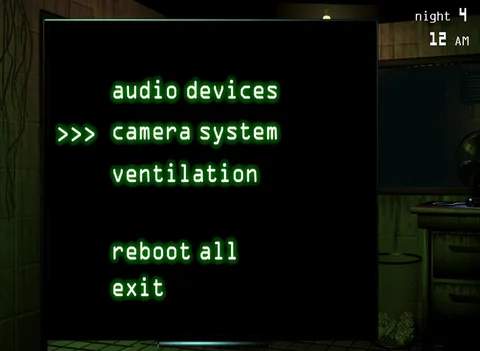
- System Management: Always be prepared to address a Ventilation Error immediately after a Phantom BB jumpscare. Access the "Maintenance Panel" (located on the right side of your desk) and click the "Fix All" button under the "Ventilation" section to restore your air flow.
- Springtrap Vulnerability: While your ventilation is down, Springtrap can move much faster and is more likely to enter your office. If he's already close (e.g., in CAM 01 or the Vent System), a Phantom BB jumpscare can be a death sentence.
- Minimizing Risk: To reduce Phantom BB encounters, try to keep your camera checks brief. Avoid lingering on any single camera for more than a second or two. Prioritize checking cameras where Springtrap is likely to be, and then quickly cycle away.
- Audio Cues: Train your ear to recognize the subtle static sound that precedes Phantom BB's full appearance. This can give you a fraction of a second more to react and close your monitor.