Phantom Foxy's Behavior
Phantom Foxy is one of the more aggressive and less predictable phantom animatronics you'll encounter in Five Nights at Freddy's 3. Unlike some of his spectral counterparts, Foxy doesn't appear on the camera system. Instead, his jumpscare is triggered by specific conditions within your office. Understanding his unique mechanics is crucial for survival, as his appearance can lead to critical system errors and leave you vulnerable to Springtrap.
Triggering Phantom Foxy
- Office Appearance: Phantom Foxy will randomly appear standing in your office, directly in front of your desk. There is no camera feed to predict his arrival.
- Conditions for Appearance: While seemingly random, his appearance is often linked to prolonged periods of looking at the camera monitor or maintenance panel without checking your office. He's designed to punish players who become too engrossed in other tasks.
- Audio Cue: There is no distinct audio cue to warn you of his presence before he appears. You must visually confirm his arrival.
Avoiding the Jumpscare
Once Phantom Foxy appears in your office, you have a very narrow window to react and prevent his jumpscare. Failure to do so will result in a loud, startling jumpscare that disables your ventilation system.
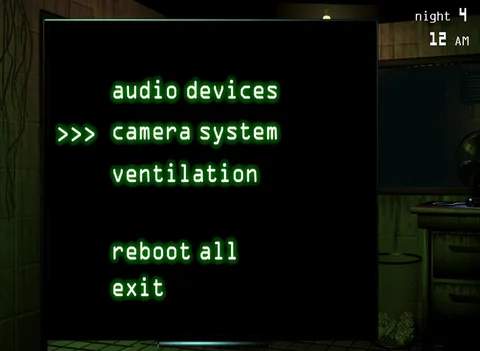
- Immediate Action: The moment you see Phantom Foxy standing in your office, you must immediately open your camera monitor or maintenance panel. This is the only way to make him disappear without triggering his jumpscare.
- Timing is Key: You have approximately 1-2 seconds from the moment he appears to open either panel. Hesitation will lead to a jumpscare.
- Prioritize Office Checks: To minimize his appearances, make it a habit to frequently glance at your office between checking cameras and fixing systems. A quick look around can save you from a costly system error.
Consequences of Phantom Foxy's Jumpscare
If Phantom Foxy successfully jumpscares you, the immediate consequence is a complete ventilation system error. This is particularly dangerous for several reasons:
- Ventilation Error: Your office will begin to fill with smoke, obscuring your vision and making it difficult to monitor Springtrap or react to other threats.
- Audio Hallucinations: The ventilation error also triggers audio hallucinations, which can mask Springtrap's movements and make it harder to track him.
- Springtrap's Advantage: While you are dealing with the ventilation error, Springtrap will become more aggressive and move faster towards your office. He can use the obscured vision and audio distractions to his advantage.
- Repair Time: You will need to immediately open the maintenance panel and repair the ventilation system. This takes precious time away from monitoring Springtrap and leaves you vulnerable.
Strategic Tips for Managing Phantom Foxy
- The "Scan and Flip" Method: Adopt a routine where you quickly scan your camera feeds (especially CAM 01 and CAM 02 to track Springtrap), then immediately flip down your monitor to check your office. Repeat this cycle frequently.
- Prioritize Repairs: If you do get jumpscared, immediately go to the maintenance panel and repair the ventilation. Do not delay, as the smoke and audio hallucinations are a severe handicap.
- Listen for Springtrap: Even with audio hallucinations, try to discern Springtrap's distinct footsteps or breathing. This can help you seal vents or play audio cues strategically while you're recovering from a Foxy jumpscare.
- Avoid Staring: Do not spend extended periods staring at any single camera or the maintenance panel. This is a common trigger for Phantom Foxy. Keep your interactions brief and dynamic.