Phantom Freddy's Behavior
Phantom Freddy is one of the more straightforward phantom animatronics to manage, but his jumpscare can be particularly disruptive, especially during critical moments. Understanding his movement pattern and how to effectively deter him is key to maintaining your systems and surviving the night.
Appearance and Trigger
- Visual Cue: Phantom Freddy will slowly walk from right to left across the large window in your office. He appears as a heavily damaged, green-tinted version of Freddy Fazbear.
- Trigger Condition: His appearance is tied to your camera usage. The more you use the cameras, the higher the chance he will begin his walk. He does not appear on the camera feeds themselves, only in your office window.
- Jumpscare Activation: If you fail to react to him before he completes his walk across the window and disappears from view, he will jumpscare you a few seconds later.
Strategic Avoidance and Counter-Measures
The primary goal is to prevent Phantom Freddy from completing his walk across your office window. This requires constant vigilance and quick reflexes.
- Monitor the Window:
- Whenever you lower your monitor (camera or maintenance panel), immediately glance at the office window.
- Phantom Freddy's walk is slow, giving you a small window of opportunity to react.
- The "Monitor Flick" Technique:
- If you spot Phantom Freddy beginning his walk, the most effective counter is to immediately raise your monitor again.
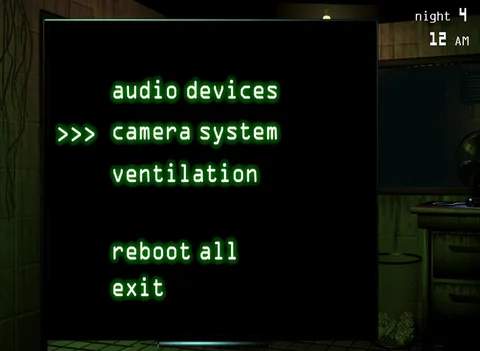
- This means either bringing up the camera system or the maintenance panel.
- Hold the monitor up for a brief moment (1-2 seconds) and then lower it again.
- Upon lowering the monitor, Phantom Freddy should have disappeared from the window, effectively resetting his attempt to jumpscare you.
- Prioritize Over Other Tasks:
- If Phantom Freddy appears while you are, for example, rebooting an audio error or ventilation, you must prioritize raising your monitor.
- A system error is less immediately dangerous than a jumpscare, which will disable your systems for a longer period and potentially attract Springtrap.
- Audio Cue (Subtle): While not as pronounced as other phantoms, there might be a very faint, almost imperceptible creaking or shuffling sound as he begins his walk. Rely primarily on visual cues.
Consequences of a Jumpscare
If Phantom Freddy successfully jumpscares you:
- Ventilation Error: Your ventilation system will immediately go offline, triggering an audio alarm and causing your office to fill with smoke.
- System Reboot Required: You will need to access the maintenance panel and reboot the "Ventilation" system.
- Springtrap Attraction: The loud alarm and the time spent rebooting systems make you vulnerable to Springtrap, who will be drawn closer to your office.
By consistently applying the "monitor flick" technique and maintaining situational awareness of your office window, you can effectively neutralize Phantom Freddy and keep your systems running smoothly, allowing you to focus on the more pressing threat of Springtrap.