Phantom Mangle's Behavior
Phantom Mangle is one of the more unique and less directly aggressive phantom animatronics, but its presence can be just as detrimental to your survival. Unlike others that directly jump-scare you, Phantom Mangle's primary threat lies in its ability to disable your audio systems, leaving you vulnerable to Springtrap.
Appearance and Trigger
- Visual Cue: Phantom Mangle appears exclusively on the Camera Monitor. It will manifest as a distorted, static-filled image on various camera feeds, often hanging from the ceiling or peeking from behind objects.
- Primary Locations: While it can appear on almost any camera, it is most frequently observed on CAM 04, CAM 06, and occasionally CAM 09. Keep a keen eye on these feeds when cycling through cameras.
- Trigger Condition: Simply viewing Phantom Mangle on the Camera Monitor for too long will trigger its attack. There's no specific time limit, but a brief glance is usually safe. Prolonged viewing, especially when lingering on a camera where it's present, is a guaranteed trigger.
Attack Sequence and Effects
Once triggered, Phantom Mangle's attack sequence is distinct:
- Audio Disturbance: You will hear a loud, garbled static sound that rapidly increases in volume. This is your immediate warning.
- Office Intrusion: Phantom Mangle will then appear in the office window, specifically the one to your left, directly above the "Audio Devices" panel. It will hang there, emitting its signature static noise for several seconds.
- System Malfunction: The most critical effect of Phantom Mangle's appearance is that it will completely disable your Audio Devices. This means you cannot use the "Play Audio" function to lure Springtrap for a significant period.
- Vulnerability Window: During the time your audio is down, Springtrap is free to move unhindered by your luring attempts. This is an extremely dangerous period, as he can advance rapidly towards your office.
Strategic Countermeasures
Dealing with Phantom Mangle effectively is crucial for maintaining control over Springtrap:
- Quick Camera Checks: When cycling through cameras, perform quick, decisive glances. Do not linger on any single camera feed. If you spot Phantom Mangle, immediately switch to another camera or pull down your monitor.
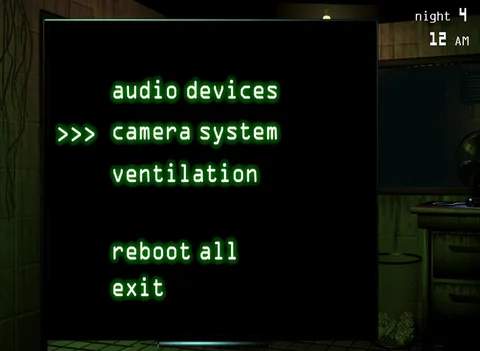
- Prioritize Audio Repair: If Phantom Mangle disables your audio, your absolute top priority is to repair it. Access the Maintenance Panel (located on the right side of your office, below the "Ventilation" panel) and click on the "Audio Devices" button to initiate the repair.
- Ventilation Management During Downtime: While your audio is down, you cannot lure Springtrap. Focus intensely on monitoring the vents, especially Vent Cam 11 and Vent Cam 14, as Springtrap will likely attempt to use these to bypass your office. Seal any vent Springtrap enters immediately.
- Minimize Camera Usage: If you find yourself consistently triggering Phantom Mangle, try to reduce your camera usage to only essential checks, primarily for Springtrap's location and to monitor the vents. Rely more on audio cues (when available) for Springtrap's proximity.
- Listen for Springtrap: Even without audio lures, you can often hear Springtrap moving through the vents or hallways. Pay close attention to these subtle audio cues to anticipate his movements during the audio system downtime.
Remember, Phantom Mangle's attack isn't a direct game over, but it creates a significant window of vulnerability. Mastering quick camera checks and rapid system repairs are key to mitigating its disruptive effects.