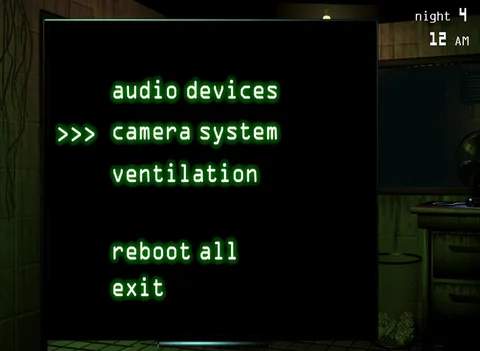
The Maintenance Panel is your central hub for repairing all system malfunctions. Accessed via a button at the bottom of your screen, it presents you with options to reboot individual systems or 'Reboot All'. While you can reboot individual systems, it's almost always more efficient to use 'Reboot All' to address multiple failures simultaneously. The reboot process takes a few seconds, during which your cameras and audio are disabled, and you are vulnerable. Therefore, timing your reboots when Springtrap is far away is crucial. Listen for Springtrap's movements during the reboot animation to anticipate his approach.