Introduction & Game Mechanics
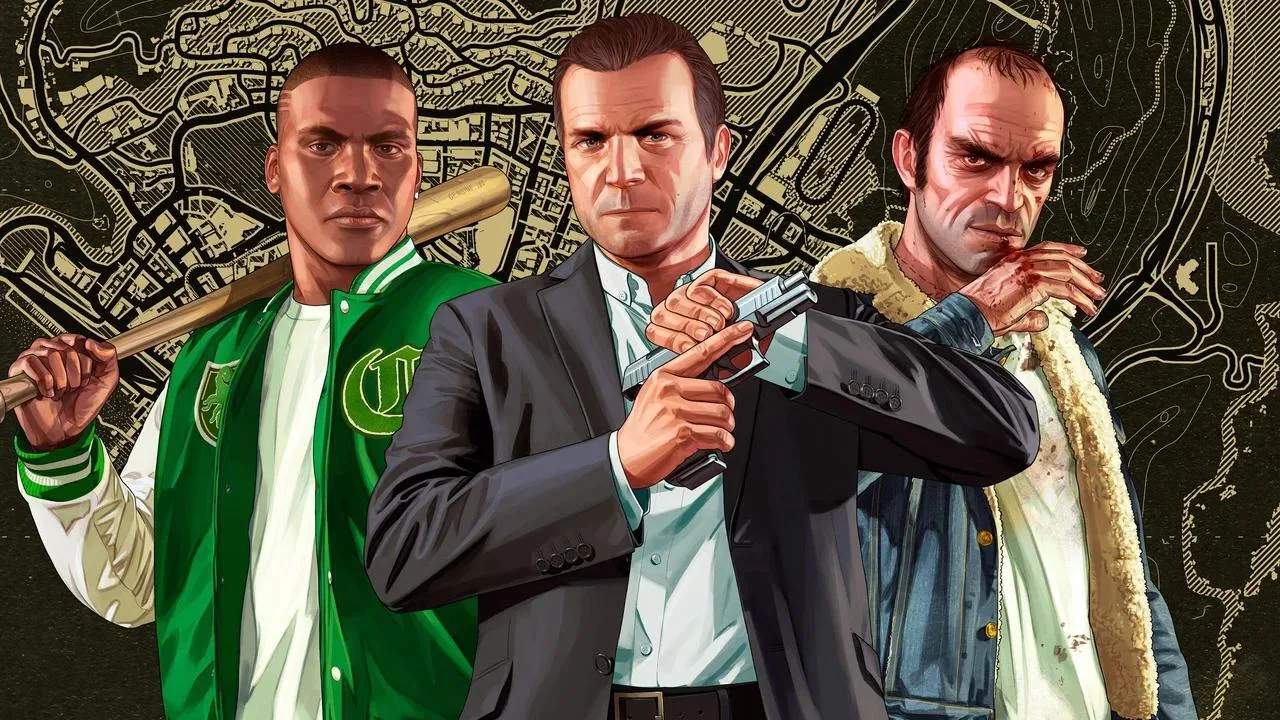
Welcome to Los Santos, a sprawling metropolis where ambition, crime, and opportunity collide! Grand Theft Auto V offers an unparalleled open-world experience, allowing you to switch between three distinct protagonists – Michael De Santa, Franklin Clinton, and Trevor Philips – each with their own unique skills, motivations, and storylines. This section will guide you through the fundamental mechanics of the game, ensuring you're well-equipped to navigate the chaotic streets of San Andreas.
The Protagonists & Character Switching
One of GTA V's most innovative features is the ability to seamlessly switch between its three main characters. This isn't just a cosmetic change; each character has a unique special ability and contributes to the interwoven narrative.
- Michael De Santa: A retired bank robber living under witness protection. His special ability, Bullet Time, allows him to slow down time during combat, making it easier to land precise shots and evade enemy fire. This is particularly useful in intense shootouts or when facing multiple opponents.
- Franklin Clinton: A young, ambitious street hustler looking to make a name for himself. Franklin's special ability, Driving Focus, enables him to slow down time while driving, providing enhanced control and precision during high-speed chases or intricate maneuvers. This is invaluable for escaping the police or navigating tight corners.
- Trevor Philips: A volatile, psychopathic career criminal and former military pilot. Trevor's special ability, Rampage, activates a temporary invulnerability and increased melee damage, allowing him to absorb significant damage and deal devastating blows. Use this when you need to clear out a large group of enemies or simply unleash chaos.
To switch characters, hold down the D-pad (console) or the character switch key (PC) to bring up the character selection wheel. Select the desired character, and the game will transition to them, often showing a brief cinematic of their current activity.
Movement & Interaction
Navigating the world of Los Santos is intuitive, but mastering the controls will give you a significant edge.
- On Foot:
- Walk/Run: Use the left analog stick (console) or WASD keys (PC) to move. Pressing the sprint button (X on PS, A on Xbox, Left Shift on PC) will make your character run.
- Cover System: Crucial for survival in combat. Press the cover button (R1 on PS, RB on Xbox, Q on PC) when near a wall or object to take cover. This reduces your profile and offers protection from incoming fire.
- Climbing & Vaulting: Approach ledges or low obstacles and press the jump button (Square on PS, X on Xbox, Spacebar on PC) to vault over or climb.
- Melee Combat: Engage in close-quarters combat by pressing the melee attack button (Circle on PS, B on Xbox, R on PC). Combine with dodging (Square on PS, X on Xbox, Spacebar on PC) for effective brawling.
- Vehicles:
- Entering/Exiting: Approach any vehicle and press the enter vehicle button (Triangle on PS, Y on Xbox, F on PC).
- Driving: Use the right trigger (R2 on PS, RT on Xbox, W on PC) to accelerate and the left trigger (L2 on PS, LT on Xbox, S on PC) to brake/reverse. Steering is handled with the left analog stick (console) or A/D keys (PC).
- Handbrake: Essential for sharp turns and evasive maneuvers. Press the handbrake button (R1 on PS, RB on Xbox, Spacebar on PC).
- Vehicle Combat: Some vehicles allow you to fire weapons while driving. Aim with the left analog stick/mouse and fire with the right trigger/left mouse button.
Combat Fundamentals
Combat in GTA V is dynamic and often challenging. Understanding the basics will help you survive encounters with rival gangs, the police, and other threats.
- Weapon Wheel: Hold down the weapon selection button (L1 on PS, LB on Xbox, Tab on PC) to bring up the weapon wheel. This allows you to quickly switch between different weapon categories and specific weapons within those categories. Always ensure you have a diverse arsenal for various situations.
- Aiming: Press the aim button (L2 on PS, LT on Xbox, Right Mouse Button on PC) to aim your weapon. You can switch between auto-aim and free-aim in the game settings. For precision, always try to aim for headshots.
- Reloading: Your weapon will automatically reload when empty, but you can manually reload by pressing the reload button (Circle on PS, B on Xbox, R on PC). Reloading behind cover is a crucial tactic.
- Health & Armor: Your health bar is displayed in the bottom right corner of the screen. Pick up Health Packs (small green crosses) found in various locations or purchase Snacks from convenience stores to restore health. Body Armor (blue vests) provides an additional layer of protection and can be purchased from Ammu-Nation.
The Mini-Map & GPS
Your mini-map, located in the bottom left corner of the screen, is your most vital navigational tool. It displays your current location, mission objectives, points of interest, and nearby enemies or police.
- GPS Navigation: Open your phone (Up on D-pad, T on PC) and select the "Contacts" app to call a taxi, or open the map (Pause menu) to set a custom waypoint. A purple line will appear on your mini-map, guiding you to your destination.
- Points of Interest: Look for various icons on your mini-map:
- Blue Dots: Mission objectives.
- Green Dots: Strangers and Freaks missions.
- Red Dots: Enemies.
- Blue Arrows: Police vehicles.
- Gun Icon: Ammu-Nation stores (for weapons and armor).
- Dollar Sign: Stores and businesses.
- Car Icon: Los Santos Customs (for vehicle modifications).
Wanted Level
Engaging in criminal activities will attract the attention of the Los Santos Police Department (LSPD), indicated by a star rating in the top right corner of your screen. The more stars, the more aggressive and numerous the police response.
- Evading the Police:
- Break Line of Sight: Get out of the police's view as quickly as possible. Drive into alleys, under bridges, or through dense foliage.
- Change Vehicles: Stealing a new vehicle can sometimes help throw off pursuit, especially if your previous vehicle was heavily damaged or distinctive.
- Lay Low: Once out of sight, avoid drawing attention to yourself. Stay off main roads and avoid committing further crimes until your wanted level dissipates.
- Pay 'n' Spray: Drive into a Pay 'n' Spray garage (spray can icon on the map) to instantly lose your wanted level for a small fee, provided you don't have a 5-star wanted level.
Mastering these core mechanics will provide a solid foundation for your journey through Grand Theft Auto V. Experiment with each character's abilities, explore the vast open world, and remember: in Los Santos, anything goes!