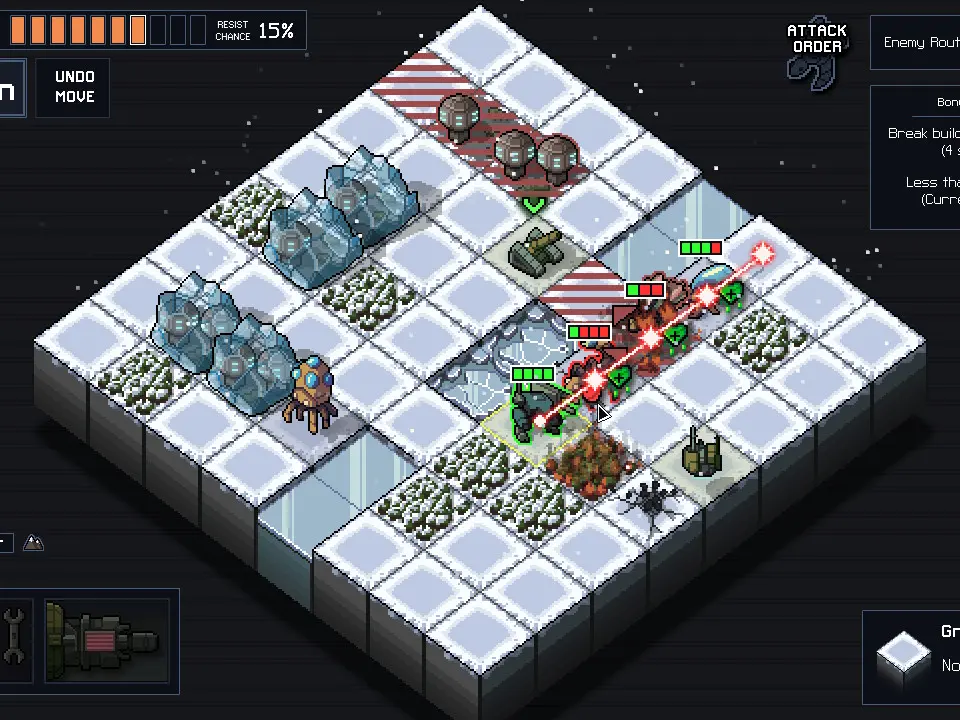
The UI provides all the information you need to make informed decisions. On the left, you'll see your mech's health, energy, and abilities. The top bar displays the Power Grid status, turn counter, and current objective. Hovering over any unit (mech or Vek) will show its movement range, attack range, and potential damage. Pay close attention to the 'Vek Actions' phase, which clearly indicates where enemies will attack. The 'End Turn' button is at the bottom right.