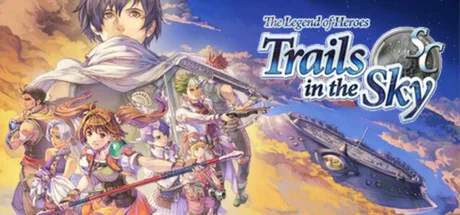
Embarking on your adventure in The Legend of Heroes: Trails in the Sky SC is a straightforward process, whether you're playing on PC or PSP. The game is designed for accessibility, ensuring you can jump into the rich narrative and engaging gameplay with minimal hassle.
PC Installation Guide
For PC players, The Legend of Heroes: Trails in the Sky SC is typically available through digital storefronts like Steam or GOG.com. The installation process is standard for PC games:
- Purchase and Download: Acquire the game from your chosen digital storefront. The client (e.g., Steam client) will then download the game files to your computer.
- Installation: Once the download is complete, the game will usually install automatically. If not, navigate to your game library, right-click on Trails in the Sky SC, and select "Install."
- System Requirements: Before installation, ensure your PC meets the minimum system requirements. These typically include a compatible operating system (e.g., Windows 7 or later), a decent processor (e.g., Intel Core 2 Duo or equivalent), sufficient RAM (e.g., 2 GB), and a DirectX 9.0c compatible graphics card.
- Launch: After installation, you can launch the game directly from your library or desktop shortcut.
Note: Ensure your graphics drivers are up to date for optimal performance.
PSP Installation Guide
The PSP version of The Legend of Heroes: Trails in the Sky SC can be obtained either as a digital download from the PlayStation Store or as a physical UMD (Universal Media Disc).
- Digital Download: If you purchase the game digitally from the PlayStation Store, it will be downloaded directly to your PSP's Memory Stick Duo. Navigate to the "Games" section on your PSP's XMB (XrossMediaBar) menu, select the game, and follow the on-screen prompts to install it. Ensure you have enough free space on your Memory Stick.
- Physical UMD: For the physical version, simply insert the UMD into your PSP's UMD drive. The game should automatically launch or appear in your game list. No further installation is typically required for UMDs.
- Graphics Settings (PC): Adjust resolution, texture quality, and other graphical options to suit your PC's capabilities and your visual preferences.
- Audio Settings: Configure volume levels for music, sound effects, and voice acting.
- Control Settings: Both PC and PSP versions allow you to customize controls. On PC, you can often rebind keyboard keys and adjust mouse sensitivity. On PSP, you'll use the standard button layout, but understanding it is key.
PSP System Updates: It is recommended to have your PSP system firmware updated to the latest version available for your console. This ensures compatibility and can sometimes resolve minor performance issues.
Initial Setup and Configuration
Once the game is installed on either platform, you'll likely be presented with initial setup options:
With the game installed and configured, you are ready to begin your epic journey through the world of Liberl!