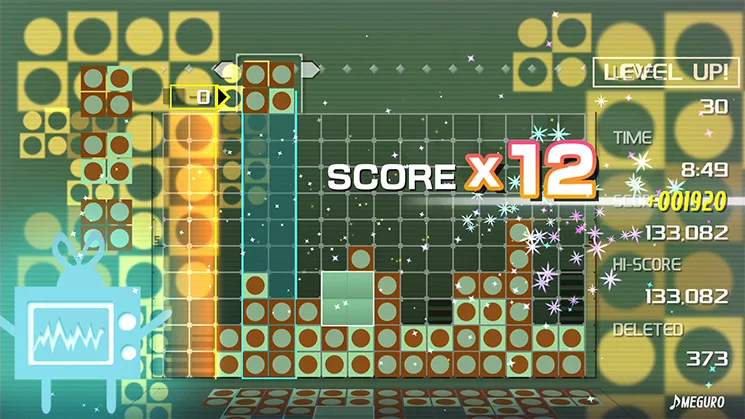
Strategies for Specific Skins
While the core mechanics of Lumines Remastered remain consistent, certain skins introduce unique visual and auditory elements that can subtly influence your gameplay. Mastering these nuances can elevate your score and overall enjoyment. This section provides detailed strategies for navigating some of the most common and challenging skins.
The "Shinin'" Skin (Default/Early Game)
This is often one of the first skins you'll encounter. Its bright, contrasting colors and upbeat tempo make it excellent for learning the game's fundamentals.
- Visual Clarity: The stark difference between the light and dark blocks (typically white/light blue and black/dark blue) makes it easy to identify matching blocks. Focus on building large, single-color blocks for maximum clear potential.
- Tempo Management: The "Shinin'" skin often features a moderate to fast tempo. Use this to your advantage by maintaining a steady drop rhythm. Avoid overthinking placements, as the beat encourages quick decisions.
- Combo Opportunities: The clear visual separation allows for easy identification of potential 2x2 squares. Aim to create these in quick succession as the timeline sweeps, maximizing your combo multiplier.
- Audio Cues: Pay attention to the distinct sound effects for block rotation and placement. These can help you maintain rhythm even when the screen gets busy.
The "Heavenly Star" Skin (Mid-Game Unlock)
Known for its ethereal visuals and often slower, more ambient music, "Heavenly Star" can be deceptively challenging due to its less distinct block colors.
- Color Differentiation: The primary challenge here is the subtle color variations. Blocks might be shades of purple, blue, and pink, which can blend together, especially during fast-paced segments or when the screen is full.
- Strategy: Prioritize creating clear, distinct stacks of single-color blocks. Don't rely solely on peripheral vision; actively scan the falling blocks and the grid to confirm colors before placement.
- Actionable Step: If you find yourself struggling, try to group blocks into vertical columns of the same color as much as possible, making them easier to distinguish from adjacent columns.
- Slower Tempo Adaptation: The slower tempo can sometimes lead to complacency. Use the extra time to plan more complex block arrangements, setting up multi-square clears.
- Strategy: Look for opportunities to create "bridges" of a single color that can connect two separate 2x2 squares when the timeline sweeps.
- Visual Distractions: The background effects in "Heavenly Star" can be mesmerizing but also distracting. Train your eyes to focus on the active playfield and the falling blocks, ignoring the periphery.
The "Mondlicht" Skin (Late Game/Challenge)
This skin often features darker, more muted colors and a driving, sometimes intense, electronic beat. It's a true test of your Lumines mastery.
- Low Contrast Blocks: "Mondlicht" frequently uses dark blues, grays, and blacks, making block differentiation difficult, especially when combined with the often-fast timeline speed.
- Strategy: Rely heavily on the shape of the falling blocks (the 2x2 configuration) and their initial placement. As soon as a block appears, identify its color pattern and plan its rotation and drop.
- Actionable Step: Practice "pre-rotation" – rotating the block into its desired orientation as it falls, rather than waiting until it's close to the bottom. This saves precious seconds for accurate placement.
- Aggressive Timeline: The timeline in "Mondlicht" can be very fast, requiring rapid decision-making and precise execution.
- Strategy: Focus on clearing blocks quickly to prevent the grid from filling up. Don't hoard blocks for elaborate combos if it means risking a game over. Prioritize immediate clears.
- Actionable Step: Develop a "panic clear" strategy: if the grid is getting too high, quickly create any 2x2 square you can, even if it's small, to buy yourself time.
- Auditory Focus: The strong, rhythmic beat of "Mondlicht" can be a powerful tool. Let the music guide your dropping rhythm. The beat often corresponds to the ideal speed for block placement.
General Tips for All Skins
- Practice in Skin Mode: If a particular skin is giving you trouble, play it repeatedly in "Skin Mode" (if available) or "Challenge Mode" to familiarize yourself with its specific visual and auditory characteristics without the pressure of a full game.
- Adjust Brightness/Contrast: For skins with low contrast, don't hesitate to adjust your display's brightness or contrast settings if it helps you distinguish colors better.
- Listen Actively: The music and sound effects are integral to Lumines. They often provide cues for timeline speed, impending clears, and even block rotations. Use them to your advantage.