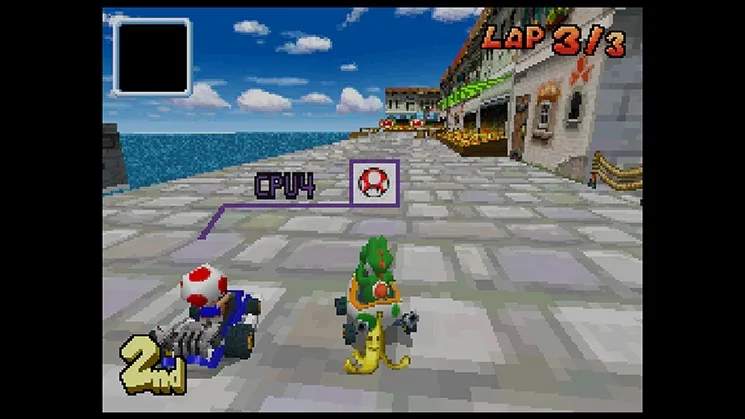
The Mario Kart DS UI is intuitive and provides all the necessary information at a glance. The top screen displays the main racing action, while the bottom screen is dedicated to the map and other crucial data.
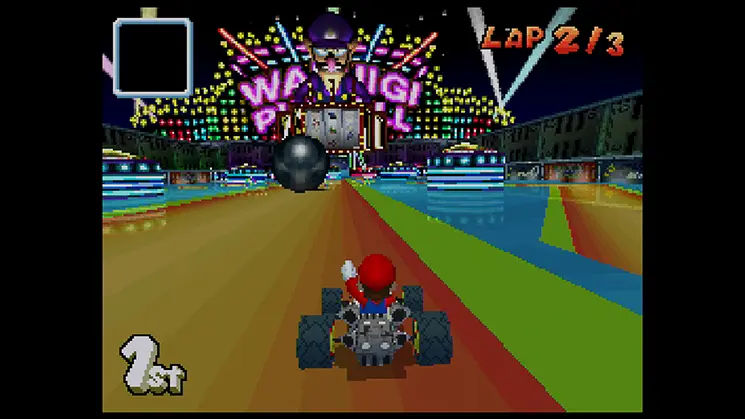
Top Screen:
- Race View: Your kart and the track ahead.
- Lap Counter: Shows your current lap and total laps.
- Position Indicator: Your current standing in the race (e.g., 1st/8).
- Item Slot: Displays the item you currently hold.
- Speedometer: Shows your current speed.
Bottom Screen:
- Track Map: A full overview of the track, showing all racers' positions. This is invaluable for planning your route and anticipating item attacks.
- Item Box Indicator: Shows if you have an item ready to use.
- Touch Screen Controls (Optional): In some modes, you can tap the screen to use items, though button controls are generally preferred for precision.
Familiarize yourself with both screens. The map on the bottom screen is particularly useful for avoiding hazards and predicting where opponents might be. use the Select button to toggle the map view to your preference during a race.