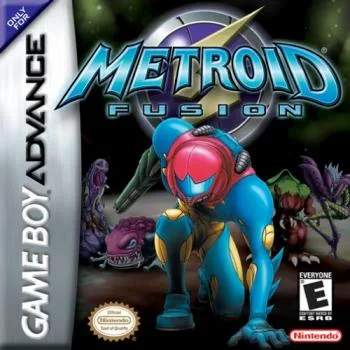
Version Differences
While Metroid Fusion is primarily known for its Game Boy Advance release, there are some subtle, yet important, distinctions to be aware of across different versions and regions. These differences can impact gameplay, item acquisition, and even the overall experience for completionists.
Japanese (Original) vs. International Releases
The initial Japanese release of Metroid Fusion contains a few minor discrepancies compared to the versions released in North America, Europe, and other regions. These are primarily cosmetic or related to early bug fixes.
- Text and Dialogue: Expect slight variations in translation and phrasing. While the core narrative remains the same, some lines of dialogue from the computer or other characters might be worded differently. This doesn't affect gameplay but can be noticeable for those familiar with multiple versions.
- Minor Graphical Tweaks: Very subtle graphical adjustments might be present. These are often imperceptible to the casual player and do not impact the game's overall aesthetic or level design.
- Early Bug Fixes: The international releases often incorporated minor bug fixes that were identified after the Japanese launch. While Metroid Fusion is a very polished game, early versions might have had extremely rare, minor glitches that were patched out in subsequent releases. For the average player, these are unlikely to be encountered.
Virtual Console (Wii U) Release
The Wii U Virtual Console version of Metroid Fusion offers a faithful emulation of the original Game Boy Advance experience, but with some inherent platform-specific features and limitations.
- Save States: A significant advantage of the Virtual Console is the ability to create save states at any point. This can be incredibly useful for challenging sections or boss battles, allowing players to practice without losing significant progress. To use save states, press the Home button on your Wii U GamePad and select the "Create Restore Point" option.
- Off-TV Play: You can play Metroid Fusion entirely on the Wii U GamePad, offering a portable experience similar to the original GBA. This is activated automatically when you start the game on the Virtual Console.
- Display Options: The Virtual Console allows for various display filters, including a "pixel perfect" mode that replicates the GBA's original resolution, or a stretched mode to fill the screen. Experiment with these settings in the Virtual Console menu (accessible via the Home button) to find your preferred visual style.
- No GBA Link Cable Functionality: As the Wii U does not support the Game Boy Advance Link Cable, the connectivity features with Metroid Prime are unavailable. This means you cannot unlock the Fusion Suit in Metroid Prime by linking the two games. This is a purely cosmetic unlock in Prime and does not affect Fusion's gameplay.
Nintendo Switch Online + Expansion Pack Release
The Nintendo Switch Online + Expansion Pack offers Metroid Fusion as part of its Game Boy Advance library. This version provides a modern way to experience the classic, with a few key differences:
- Online Multiplayer (Not Applicable): While the Nintendo Switch Online service supports online multiplayer for some titles, Metroid Fusion is a single-player experience and does not utilize this feature.
- Rewind Feature: Similar to save states, the Switch Online version includes a rewind feature. This allows you to instantly revert gameplay by a few seconds, which can be invaluable for correcting mistakes or re-attempting difficult maneuvers. Access this by holding down the ZL button and pressing the Minus (-) button.
- Suspend Points: The Switch Online service allows for "Suspend Points," which function similarly to save states, letting you save your progress at any moment and resume later. These are managed through the Switch's system menu.
- Visual Filters: Like the Wii U Virtual Console, the Switch Online version offers various visual filters, including a "CRT Filter" to mimic older displays and a "Pixel Perfect" option for authentic GBA resolution. These can be adjusted via the in-game menu accessed by pressing ZL + ZR.
- No GBA Link Cable Functionality: As with the Wii U Virtual Console, the lack of GBA Link Cable support means the Metroid Prime connectivity features are not available.
Regardless of the version you play, the core experience of Metroid Fusion remains a masterpiece. These differences are generally minor and should not deter players from enjoying Samus's thrilling adventure.