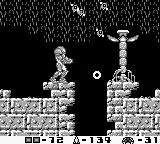
The Game Boy's limited screen real estate means a concise yet informative UI. Here's what you need to know:
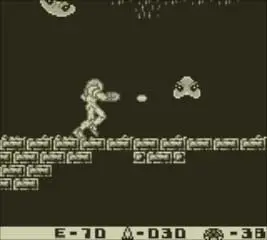
- Energy Tank (Top Left): Displays your current health. Each segment represents 100 units of energy. When a tank is depleted, the next one activates.
- Missile Count (Top Right): Shows how many missiles you currently possess. Missiles are powerful but limited, so use them wisely against tough enemies and for opening Missile Blocks.
- Equipped Item (Bottom Left): An icon representing your currently selected special weapon (e.g., Missile, Spider Ball). Use the Select button to cycle through these.
- Map (Accessed via Start): While there isn't a real-time map, the Start menu provides a basic overview of your collected items and current status. Remember, exploration is key, and you'll need to mentally map out SR388.
Keeping an eye on your energy and missile count is vital. Always be on the lookout for Energy Balls dropped by enemies and Missile Expansions to replenish your resources. The absence of an in-game map means you'll need to pay close attention to the environment and remember key landmarks.