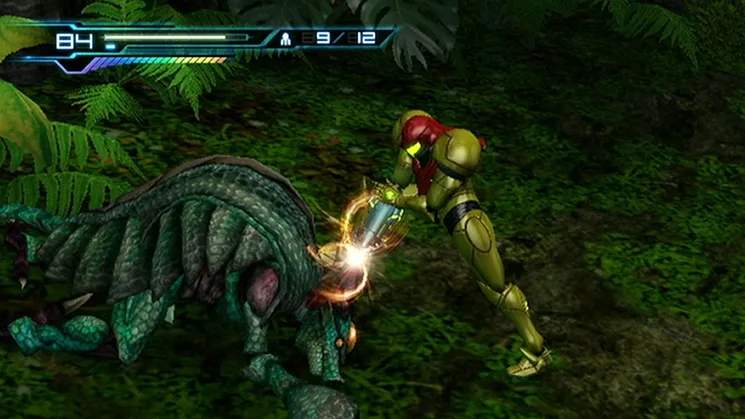
The User Interface in Metroid: Other M provides vital information about Samus's status, available resources, and objectives. Understanding each element will help you make informed decisions during gameplay. The UI is generally minimalistic to maintain immersion but provides critical data when needed.
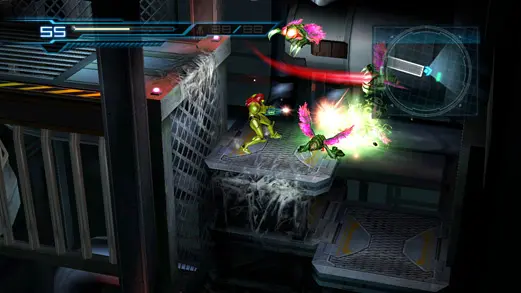
- Energy Tank Display: Located in the top-left corner, this shows Samus's current health. Each segment represents an Energy Tank. When one is depleted, the next one activates.
- Missile Count: Positioned below the Energy Tanks, this indicates your remaining Missiles. Missiles are powerful but limited, so use them strategically.
- Charge Beam Indicator: A small icon near Samus that glows when your Charge Beam is ready.
- Map Overlay: Briefly appears when entering new areas or pressing the Minus button, showing your current location and nearby pathways.
- Objective Marker: Sometimes appears on the screen or map, guiding you towards your next goal.
Keep an eye on your Energy Tanks and Missile count, especially during boss battles or challenging combat encounters. Replenish them whenever possible.