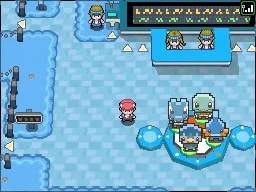
Pokémon Storage System (PC)
The Pokémon Storage System, affectionately known as the PC, is an invaluable tool for every Trainer in the Sinnoh region. It allows you to store any Pokémon beyond the six you can carry in your active party. Mastering its functions is crucial for managing your growing collection, preparing for battles, and even breeding.
Accessing the PC
You'll find PC terminals in almost every Pokémon Center across Sinnoh, as well as in various other buildings like the Global Trade Station (GTS) in Jubilife City or the Day Care in Solaceon Town. Simply interact with the large, blue computer console to access its features.
PC Functions Explained
Upon accessing the PC, you'll be presented with several options:
- Deposit Pokémon: This allows you to move Pokémon from your active party into a storage Box. If your party is full (6 Pokémon), any newly caught Pokémon will automatically be sent to the next available Box.
- Withdraw Pokémon: Use this to retrieve Pokémon from your storage Boxes and add them to your active party. Remember, your party can only hold six Pokémon at a time.
- Move Pokémon: This is a versatile option that lets you rearrange Pokémon within and between your Boxes. You can also use it to move Pokémon directly from one Box to another without placing them in your party first.
- Move Items: This function is specifically for managing held items. If a Pokémon in your party or a Box is holding an item, you can use this to move the item to your Bag or to another Pokémon. This is particularly useful for transferring valuable items like the Lucky Egg or evolution items.
- Battle Video: (Post-game feature) This option becomes available later in your adventure and allows you to save and view recordings of your battles.
- Turn Off: Exits the PC system.
Managing Your Boxes
The PC system in Pokémon Platinum offers a generous number of storage Boxes, each capable of holding 30 Pokémon. This provides ample space for all the Pokémon you'll encounter throughout your journey and beyond.
- Naming Boxes: To help with organization, you can name each Box. Select the "Move Pokémon" option, then choose "Change Box Name." This is excellent for categorizing Pokémon by type, region, intended use (e.g., "Breedjects," "Trade Fodder," "Legendaries"), or even by the Route they were caught on.
- Box Wallpaper: You can also customize the wallpaper of each Box by selecting "Change Box Wallpaper" within the "Move Pokémon" menu. While purely cosmetic, it can further aid in visual organization.
- Automatic Storage: When your party is full and you catch a new Pokémon, it will automatically be sent to the first available slot in the next open Box. If all Boxes are full, the game will notify you, and you won't be able to catch any more Pokémon until you make space.
Strategic PC Use
Effective use of the PC can significantly enhance your gameplay:
- Team Rotation: Don't be afraid to rotate Pokémon in and out of your party. Different Gym Leaders and Trainers specialize in specific types, and having a diverse roster in your Boxes allows you to tailor your team for each challenge. For example, before facing Roark in Oreburgh City, you might withdraw a Water or Grass-type Pokémon if your starter isn't strong against Rock-types.
- HM Slaves: As you progress, you'll acquire Hidden Machines (HMs) like Cut, Fly, Surf, and Strength. These moves are often not ideal for battle-ready Pokémon. Consider keeping a dedicated "HM Slave" Pokémon in your Boxes, such as a Bidoof or Bibarel (which can learn Cut, Surf, Strength, and Rock Smash), to withdraw when you need to navigate obstacles.
- Breeding Management: For advanced players interested in breeding, the PC is indispensable. You'll use it to store parent Pokémon, collect Eggs, and manage the numerous offspring you'll hatch in pursuit of perfect IVs or shiny Pokémon. Consider dedicating specific Boxes for breeding pairs and their progeny.
- Item Storage: Remember the "Move Items" function. If you have a Pokémon holding a valuable item that you want to transfer to another Pokémon without having to put it in your party, this is the way to do it. This is especially useful for items like the Everstone for breeding or various evolution items.
By regularly utilizing the Pokémon Storage System, you'll maintain a well-organized and versatile team, ready for any challenge the Sinnoh region throws your way!