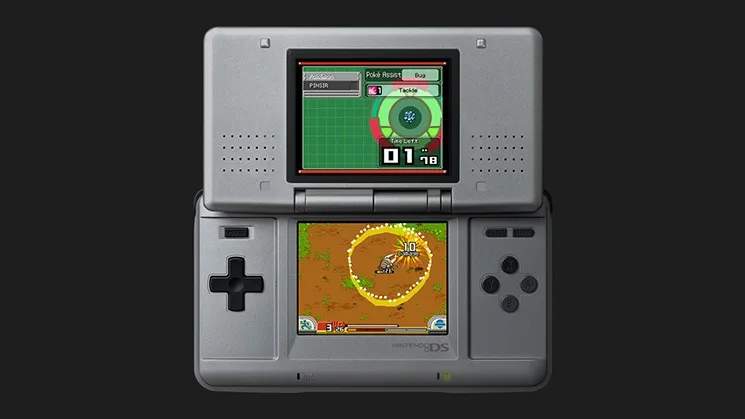
Friend Areas & Storage
As a Pokémon Ranger, you'll frequently encounter Pokémon that offer their assistance during missions. These Pokémon become your "Partners" for a limited time, but what happens when you have too many or need to swap them out? This section details the crucial mechanics of Friend Areas and Pokémon storage, ensuring you always have the right allies at your side.
Understanding Your Partner Team
Your Ranger Styler can hold a maximum of seven Partner Pokémon at any given time. This includes your designated Partner Pokémon (like Pachirisu or Munchlax, depending on your choice at the start of the game) and up to six additional Pokémon you've befriended. When you capture a new Pokémon and your team is full, you'll be prompted to make a choice:
- Swap with an existing Partner: You can choose to release one of your current Partners to make room for the newly captured Pokémon. The released Pokémon will return to its natural habitat.
- Send to a Friend Area: If the Pokémon you just captured is eligible for a Friend Area, you can send it there for later retrieval. This is the primary method for managing your growing roster of allies.
- Release the new Pokémon: If you don't need the new Pokémon and your team is full, you can simply release it.
Strategic management of your Partner team is key to success. Always consider the Field Moves and Poké Assists of the Pokémon you're carrying, especially before embarking on a challenging mission.
Friend Areas: Your Pokémon Sanctuary
Friend Areas are designated locations throughout the Almia region where certain Pokémon species can reside permanently after being captured. Think of them as a home away from home for your Pokémon allies. Sending a Pokémon to a Friend Area allows you to retrieve it later, making it a vital resource for mission preparation and completion.
Accessing and Utilizing Friend Areas
You can access your Friend Areas from any Save Machine (the blue glowing terminals found in Ranger Bases and various locations). Interacting with a Save Machine will present you with several options, including "Friend Areas."
Once in the Friend Area menu, you can:
- View Stored Pokémon: See all the Pokémon currently residing in your Friend Areas. They are typically organized by the Friend Area they belong to.
- Retrieve Pokémon: Select a Pokémon from a Friend Area to add it to your active Partner team. Remember, your team has a seven-slot limit. If your team is full, you'll need to swap out an existing Partner.
- Release Pokémon: Permanently release a Pokémon from a Friend Area. This is irreversible, so be sure you no longer need its Field Moves or Poké Assists.
Key Friend Area Locations and Notable Residents
Different Pokémon prefer different environments, and thus, specific Friend Areas are home to particular species. Here are some early-game Friend Areas you'll encounter and the types of Pokémon you might store there:
- Chocovine Town Friend Area: This is one of the first Friend Areas you'll gain access to. It's suitable for common Pokémon found in the surrounding areas, such as Bidoof (Cut x1), Starly (Fly x1), and Kricketot.
- Vientown Friend Area: As you progress, you'll find more diverse Pokémon that can be stored here. Consider keeping Pokémon with useful Field Moves like Tackle or Burn here.
- Pueltown Friend Area: Later in the game, this area becomes a hub for Pokémon with more advanced Field Moves, such as those required for clearing obstacles in the Marine Cave or Volcano Cave.
Pro Tip: It's a good strategy to keep a diverse set of Pokémon in your Friend Areas, covering a wide range of Field Moves (e.g., Cut, Burn, Tackle, Crush, Fly, etc.) and Poké Assists (e.g., Electric, Fire, Water, Grass). This way, you're always prepared for any obstacle or capture challenge a mission might throw at you.
Strategic Storage Tips
- Pre-Mission Planning: Before starting a new mission, especially those with unknown challenges, visit a Save Machine. Review the mission brief for clues about required Field Moves and adjust your active Partner team accordingly by retrieving Pokémon from Friend Areas.
- "Emergency" Pokémon: Consider keeping a few versatile Pokémon with common Field Moves (like Cut or Tackle) in your Friend Areas at all times. This ensures you can quickly grab them if you find yourself stuck.
- Rare Pokémon Management: If you capture a rare or particularly useful Pokémon, immediately send it to a Friend Area if your team is full. This prevents accidental release and ensures you can access its abilities later.
- Organize by Field Move: While the game organizes by Friend Area, you can mentally (or even physically, with notes!) categorize your stored Pokémon by their most useful Field Move. This makes retrieval much faster.
Mastering the use of Friend Areas and efficient Partner management will significantly enhance your Ranger experience, allowing you to tackle any challenge the Almia region presents with confidence.