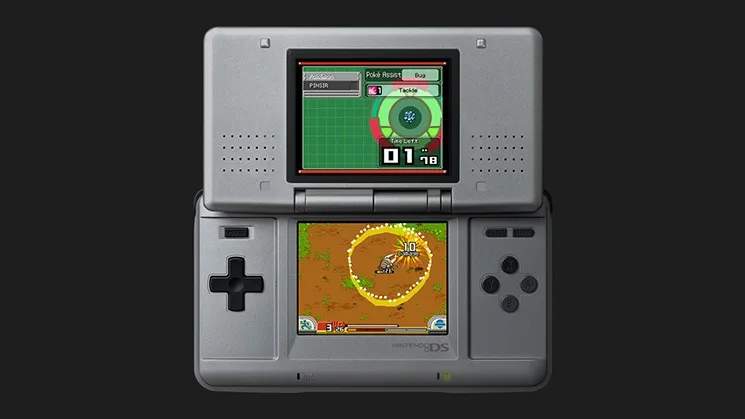
Multiplayer & Trading
While the core experience of Pokémon Ranger is a solo journey, the game offers exciting multiplayer features and trading capabilities that significantly enhance your adventure. These functionalities allow you to team up with friends for special missions, exchange captured Pokémon, and even acquire rare items that are otherwise difficult to obtain. Mastering these aspects is crucial for completing your Browser and maximizing your Ranger potential.
Connecting with Other Rangers
To access multiplayer and trading features, you'll first need to establish a connection with other Pokémon Ranger players. This is done through the Ranger Union's Communication Center.
Establishing a Connection
- Locate the Communication Center: The Communication Center is typically found within the Ranger Union headquarters in Ringtown. After completing the initial tutorial missions and receiving your Ranger Rank 2, Professor Hastings will grant you access.
- Access the Link Menu: Inside the Communication Center, interact with the large console in the center of the room. Select the "Link" option from the menu.
- Choose Your Mode: You'll be presented with several options:
- Multiplayer Missions: For cooperative play on special Ranger Net missions.
- Pokémon Trading: To exchange captured Pokémon with another player.
- Item Exchange: To swap specific items with a friend.
- Initiate Connection: Both players must select the same mode simultaneously. Ensure your Nintendo DS systems are in close proximity for a stable wireless connection.
Multiplayer Missions: Team Up for Success
Multiplayer Missions are special challenges available through the Ranger Net. These missions often feature powerful Pokémon or unique objectives that are significantly easier, or even require, the cooperation of multiple Rangers. Successfully completing these missions can yield valuable rewards, including rare Pokémon captures and exclusive items.
Accessing Multiplayer Missions
- Download Missions: Before you can play multiplayer missions, you must download them from the Ranger Net. This requires an internet connection and is typically done from the main menu's "Ranger Net" option. New missions are released periodically, so check back often!
- Form Your Team: Once a mission is downloaded, head to the Communication Center and select "Multiplayer Missions." Your partner(s) must also have the same mission downloaded.
- Mission Briefing: Before starting, you'll receive a briefing on the mission objectives, the Pokémon you'll encounter, and any special conditions. Pay close attention to this, as coordination is key.
- Cooperative Strategies:
- Target Prioritization: Discuss which Pokémon each Ranger will focus on capturing. Some missions feature multiple strong Pokémon simultaneously.
- Styler Recharge: Coordinate when to recharge your Stylers. Having one Ranger provide cover while another recharges can prevent mission failure.
- Field Moves: Utilize your combined Field Moves strategically. For example, one Ranger might use a Cut Field Move to clear a path while another uses Burn to remove obstacles.
- Healing: If a mission involves taking damage, ensure one Ranger has a Pokémon with a Heal Field Move, or coordinate the use of Energy Drinks (found in the Ranger Union Supply Room for 50 Styler Energy) to keep everyone in top condition.
Notable Multiplayer Mission Rewards
- Legendary Pokémon Encounters: Some multiplayer missions are the only way to encounter and capture certain Legendary Pokémon, such as Deoxys or Manaphy. These often require multiple successful captures within the mission.
- Rare Styler Upgrades: Exclusive Styler parts that boost capture power or energy regeneration can sometimes be earned.
- Unique Partner Pokémon: Occasionally, completing specific multiplayer missions will unlock new Partner Pokémon options for your main game.
Pokémon Trading: Expand Your Browser
Trading Pokémon is an essential feature for completing your Capture Browser, especially if you're aiming for 100% completion. Many Pokémon are version-exclusive or appear rarely, making trading a vital tool.
Initiating a Trade
- Head to the Communication Center: As with multiplayer missions, trading is done via the console in the Ranger Union's Communication Center.
- Select "Pokémon Trading": Both players must choose this option.
- Choose Your Pokémon: You'll be presented with a list of all Pokémon currently in your Capture Browser that you have captured at least once. Select the Pokémon you wish to offer for trade.
- Confirm Trade: Your partner will do the same. Once both players have selected their Pokémon, a confirmation screen will appear. Review the trade carefully before confirming.
Trading Strategies
- Version Exclusives: Coordinate with friends who own a different version of Pokémon Ranger to trade for Pokémon that are exclusive to their game. For example, if you have Plusle and your friend has Minun, you can easily complete both entries.
- Rare Spawns: Some Pokémon have extremely low encounter rates. If you or a friend manage to capture one, trading can save countless hours of searching.
- Evolutionary Lines: While Pokémon Ranger doesn't feature traditional evolution, trading for different forms or stages of a Pokémon (if they exist as separate captures) can help fill your Browser.
- "Trade-Backs": For certain event-exclusive Pokémon or those with unique Field Moves, you might arrange a "trade-back" where you temporarily trade a Pokémon to register it in your Browser, then trade it back to its original owner.
Item Exchange: Share the Wealth
The Item Exchange feature allows you to swap specific items with other players. This can be incredibly useful for acquiring rare items, consumables, or even Styler upgrades that you might have missed or that are more common in another player's game.
How to Exchange Items
- Visit the Communication Center: Go to the Ranger Union's Communication Center.
- Select "Item Exchange": Both players choose this option.
- Select Items: You'll see a list of eligible items from your inventory. Select the item you wish to offer. Your partner will do the same.
- Confirm Exchange: A confirmation screen will display the items being exchanged. Verify the trade before finalizing.
Valuable Items for Exchange
- Styler Parts: Rare Styler Parts like the Power Styler Chip (increases capture power) or Energy Styler Battery (boosts max Styler Energy) can be exchanged. These are often found in hidden areas or as rewards for challenging side quests.
- Recovery Items: While common, exchanging Full Restores or Max Revives (purchased from the Ranger Union Supply Room or found in treasure chests) can be helpful if one player is low on resources.
- Capture Chips: Capture Chips (found in various locations like the Wintown Ice Cave or as mission rewards) can make capturing difficult Pokémon much easier. Exchanging these can give a significant advantage.
- Special Mission Keys: In some instances, certain "keys" or Special Mission Passes (obtained through specific Ranger Net events) are required to unlock unique missions. If one player has a duplicate, they can share it.
By actively engaging with the Multiplayer & Trading features, you'll not only enrich your Pokémon Ranger experience but also gain access to resources and challenges that are otherwise inaccessible, truly becoming the ultimate Pokémon Ranger!