Version Differences
Welcome, aspiring Pokémon photographers! While the core joy of capturing Pokémon in their natural habitats remains consistent across all releases of Pokémon Snap, there are some notable distinctions between the original Nintendo 64 (N64) version and its subsequent re-releases. Understanding these differences can enhance your gameplay experience, especially if you're returning to the game or trying a new platform.
Nintendo 64 Original (1999)
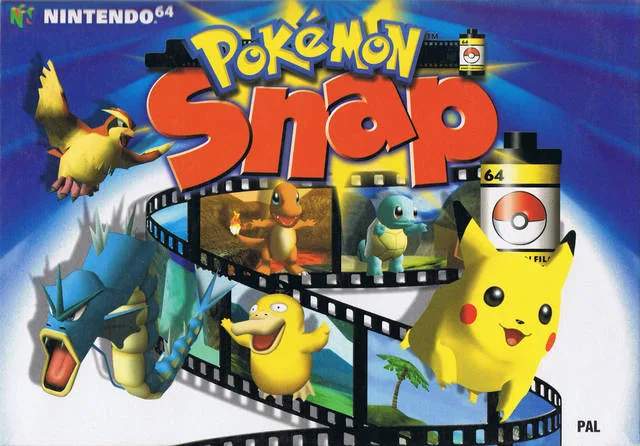
The N64 version is the classic experience, the one that started it all. It offers a nostalgic journey for many players, but it does come with certain limitations typical of its era.
Key Features & Limitations:
- Graphics: Features the original 3D graphics and textures, which may appear dated compared to modern standards. Expect lower resolution and less detailed Pokémon models.
- Controls: Utilizes the N64 controller's unique three-pronged design. While intuitive for its time, players accustomed to modern controllers might find the C-buttons for camera control and Z-trigger for item usage a slight adjustment.
- Save System: Progress is saved directly to the N64 Game Pak or a Controller Pak (if used for additional photo storage).
- Printing Photos: A unique feature of the N64 version was its compatibility with the Pokémon Snap Station kiosks found in Blockbuster Video stores and other retailers. Players could take their Game Pak to these stations and print out physical stickers of their favorite photos. This service is, unfortunately, no longer available.
- Sound & Music: The original soundtrack and sound effects are present, delivered in the N64's native audio quality.
Actionable Tips for N64 Players:
- Controller Familiarity: Spend some time in the tutorial or early courses like Beach to re-familiarize yourself with the N64 controller layout, especially if it's been a while. Mastering the C-buttons for camera movement is crucial for getting those perfect shots.
- Memory Management: Be mindful of your photo album space. While the game saves your top-scoring photos automatically, you can only store a limited number of "personal" photos. Choose wisely!
- Embrace the Nostalgia: The N64 version is a piece of gaming history. Appreciate the original vision and the charm of its early 3D graphics.
Wii Virtual Console (2007)
The Wii Virtual Console release brought Pokémon Snap to a new generation of players, offering a convenient way to experience the classic on a more modern console.
Key Features & Changes:
- Emulation: This version is an emulated port of the N64 game, meaning the core graphics, sound, and gameplay remain identical to the original.
- Control Options: You can use either the Classic Controller or a GameCube Controller. The Classic Controller, with its dual analog sticks, often provides a more comfortable and precise camera control experience for modern players compared to the original N64 controller. The GameCube controller also offers a familiar layout.
- Save States: A significant advantage of Virtual Console titles is the ability to create Restore Points. This allows you to save your progress at any point during a course, effectively giving you unlimited retries for specific photo opportunities without having to restart the entire course.
- No Photo Printing: The Wii Virtual Console version does not support the Pokémon Snap Station printing feature.
Actionable Tips for Wii VC Players:
- Controller Choice: Experiment with both the Classic Controller and GameCube Controller to see which feels more natural for you. Many players prefer the Classic Controller's dual sticks for camera movement.
- Strategic Restore Points: Utilize Restore Points to your advantage! If you're trying to get a perfect shot of a particularly elusive Pokémon (e.g., the surfing Pikachu on Beach or the dancing Jynx in Cave), save a Restore Point just before the encounter. If you miss the shot, simply load the Restore Point and try again. This can save you a lot of time and frustration.
- Screen Aspect Ratio: The Wii Virtual Console allows for different display options. For the most authentic experience, consider playing in a 4:3 aspect ratio, as the original game was designed for older televisions.
Wii U Virtual Console (2016)
Similar to the Wii release, the Wii U Virtual Console offered another opportunity to play Pokémon Snap, with some minor improvements and unique features leveraging the Wii U GamePad.
Key Features & Changes:
- Emulation & Graphics: Still an emulated N64 title, retaining the original graphics and sound.
- Control Options: Supports the Wii U GamePad, Wii U Pro Controller, and Wii Classic Controller. The GamePad offers the unique ability to play off-TV, directly on the GamePad screen.
- Off-TV Play: The GamePad allows for convenient off-TV play, which is excellent for casual photography sessions or if the main TV is occupied.
- Restore Points & Miiverse: Retains the Restore Point feature from the Wii VC. Additionally, the Wii U's Miiverse integration (though now defunct) allowed players to share screenshots and comments, which was a fun social aspect at the time.
- No Photo Printing: As with the Wii VC, the photo printing feature is absent.
Actionable Tips for Wii U VC Players:
- GamePad for Flexibility: If you enjoy playing on the go or prefer a more personal screen, the GamePad's off-TV play is a fantastic option.
- Utilize Restore Points: Just like on the Wii VC, strategically placed Restore Points are your best friend for perfecting those challenging photo opportunities.
- Controller Preference: Experiment with the Wii U Pro Controller if you prefer a more traditional gamepad feel, or stick with the Classic Controller if you enjoyed it on the Wii.
Nintendo Switch Online + Expansion Pack (2022)
The most recent re-release brings Pokémon Snap to the Nintendo Switch, offering modern conveniences and integration with the Nintendo Switch Online service.
Key Features & Changes:
- Emulation & Graphics: This is also an emulated version of the N64 original, so the core visual and audio experience remains faithful.
- Control Options: Fully supports Joy-Cons and the Nintendo Switch Pro Controller. The controls are mapped intuitively, making it easy for modern players to pick up and play.
- Save States & Rewind: Similar to previous Virtual Console releases, the Switch Online version includes save states. A new and incredibly useful feature is the Rewind function, allowing you to instantly go back a few seconds if you miss a critical shot or make a mistake. This is a game-changer for perfecting your photography.
- Online Features: Integration with Nintendo Switch Online allows for cloud saves and potentially other online features in the future, though Pokémon Snap is primarily a single-player experience.
- No Photo Printing: The physical photo printing feature is not available.
Actionable Tips for Switch Online Players:
- Master the Rewind Feature: This is arguably the biggest quality-of-life improvement. If you throw an Apple in the wrong direction, miss a Pester Ball, or simply don't get the angle right for a Pokémon's reaction, hit that Rewind button! It allows for incredibly precise photo attempts without having to restart entire sections.
- Joy-Con or Pro Controller: Both controllers work well. The Pro Controller offers a more traditional feel, while Joy-Cons can be comfortable for handheld play.
- Accessibility: The Switch's portability makes it incredibly easy to pick up and play Pokémon Snap for short bursts, perfect for trying to improve specific photos or unlock new routes.
No matter which version you choose, the core adventure of exploring Pokémon Island and capturing incredible moments on film remains a timeless and enjoyable experience. Happy snapping!