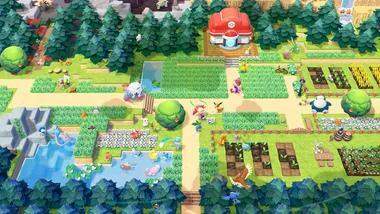
Welcome to Pokémon Pokopia! Getting started is a breeze, and this guide will walk you through the initial steps to ensure a smooth launch into your new life as a Pokopia resident. Once you've acquired your copy of Pokémon Pokopia for the Nintendo Switch, the installation process is straightforward. Simply insert the game cartridge into your console or navigate to the Nintendo eShop if you've purchased a digital version. The system will automatically prompt you to begin the download or installation.
Ensure your Nintendo Switch has a stable internet connection for digital downloads and any initial updates. Once installed, you can launch the game by selecting its icon from the main menu. The game will then guide you through a brief introductory sequence, including character creation or selection, and the initial setup of your in-game environment. Take your time with these initial steps, as they lay the groundwork for your entire Pokopia experience.