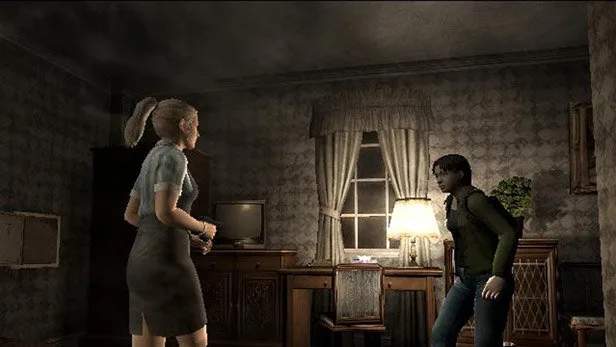
Game Modes Explained
Resident Evil Outbreak offers a unique take on the classic survival horror formula, emphasizing cooperative play and resource management under immense pressure. Understanding the various game modes is crucial for maximizing your chances of survival and unlocking all the game has to offer. This section will break down each mode, providing actionable strategies and insights into what each offers.
Scenario Mode
This is the core experience of Resident Evil Outbreak, where you and up to three other players (or AI companions) navigate through five distinct scenarios. Each scenario is a self-contained episode with its own unique objectives, puzzles, enemies, and environmental challenges. Success in Scenario Mode hinges on teamwork, communication, and efficient use of limited resources.
Scenario Mode Overview
In Scenario Mode, players choose from eight unique characters, each with their own special abilities and starting items. The goal is to complete the scenario's objectives, which typically involve finding key items, solving puzzles, and ultimately escaping the infected area. The game tracks your infection level, which steadily increases over time or when you take damage from infected sources. If your infection reaches 100%, your character transforms into a zombie, and the game ends for you, though your AI or online companions can continue.
Key Features of Scenario Mode:
- Character Selection: Choose from characters like Kevin Ryman (police officer, skilled with handguns), Mark Wilkins (security guard, strong melee), Cindy Lennox (waitress, healing abilities), George Hamilton (doctor, crafting medical items), David King (plumber, crafting weapons), Yoko Suzuki (university student, large inventory), Jim Chapman (subway employee, coin toss ability), and Alyssa Ashcroft (reporter, lockpicking).
- Dynamic Difficulty: The game's difficulty can adjust based on the number of players and their performance, influencing enemy placement and item availability.
- Branching Paths: Some scenarios offer multiple routes or solutions to puzzles, encouraging replayability.
- Resource Management: Ammunition, healing items, and key items are scarce. Players must decide when to fight, when to flee, and when to share resources.
- Virus Gauge: A constant threat, the virus gauge forces players to act quickly. Antivirals can slow its progression.
High-Level Scenario Summaries (Detailed walkthroughs are in dedicated sections):
- "Outbreak" (J's Bar, Raccoon Street, RPD): The introductory scenario, focusing on escaping the initial chaos of the outbreak. Players begin in J's Bar, navigate the zombie-infested Raccoon Street, and eventually seek refuge in the Raccoon Police Department. It introduces basic mechanics like item management, simple puzzles, and environmental hazards. Key objectives involve finding a way to open locked doors, dealing with various zombie types, and ultimately escaping the immediate vicinity of the outbreak's origin.
- "Below Freezing Point" (Underground Research Facility): Set in a frigid Umbrella research lab, this scenario emphasizes environmental survival and complex item retrieval. Players must contend with extreme cold, security systems, and mutated creatures while searching for a way out. Key objectives often involve restoring power, bypassing security, and dealing with unique biological threats like the Giant Moth. This scenario requires careful navigation of icy corridors and precise puzzle-solving to activate the facility's escape route.
- "The Hive" (Raccoon General Hospital): This scenario takes place in the Raccoon General Hospital, which has been overrun by a new infestation of giant leeches and mutated insects, particularly the monstrous Queen Leech. This scenario ramps up the horror with more aggressive enemies and a focus on navigating dark, claustrophobic environments. Players will encounter new enemy types, such as the Drain Deimos, and face different escape routes compared to other scenarios. Objectives include finding a way to activate the hospital's emergency power and navigating through the infested wards to reach safety.
- "Hellfire" (Raccoon City Streets & Apple Inn Hotel): This scenario takes place amidst the burning streets of Raccoon City and a collapsing hotel. Fire is a major environmental hazard, requiring players to use fire extinguishers and navigate unstable structures. The scenario features a large, flying boss, the Giga Bite, and emphasizes quick decision-making under pressure. Players must work together to put out fires, find key cards to access new areas of the hotel, and ultimately escape the inferno before the entire building collapses.
- "Decisions, Decisions" (Umbrella Research Facility): The climactic final scenario, set deep within a sprawling Umbrella research complex. This is the most challenging scenario, featuring intricate puzzles, multiple encounters with the Tyrant (T-0400TP), and a race against time to escape a self-destructing facility. It demands excellent teamwork and resourcefulness. Objectives include activating various systems within the lab, collecting crucial data, and ultimately confronting the Tyrant in a desperate bid for survival as the facility counts down to its destruction.
Collection Mode
Collection Mode serves as the game's comprehensive archive, allowing players to review and appreciate the various elements they've encountered and unlocked throughout their playthroughs. It's an invaluable resource for lore enthusiasts, completionists, and those looking to refine their strategies by understanding game mechanics better.
Collection Mode Sections:
- Item Gallery:
- Purpose: Displays all weapons, healing items, key items, special equipment, and consumable items found in the game.
- Details: Each item entry typically includes a 3D model, a brief description, and sometimes information on its use or location. For weapons, it might show damage output or ammunition type. For healing items, it details their restorative properties.
- Utility: Useful for identifying items you might have missed, understanding the purpose of obscure key items, or simply admiring the game's detailed asset design. It can also help in planning loadouts for future runs.
- File Viewer:
- Purpose: A repository for all the memos, reports, diaries, and other documents collected during scenarios.
- Details: Files are often categorized by scenario or type. Reading these files provides crucial backstory, expands on the lore of Raccoon City and the Umbrella Corporation, and often contains subtle hints for puzzles or enemy weaknesses.
- Utility: Essential for understanding the narrative and motivations behind the events of Outbreak. Some files are vital for solving specific puzzles in scenarios, and reviewing them here can help players remember solutions or piece together complex information.
- Character Actions:
- Purpose: Provides a detailed breakdown of each playable character's unique abilities, starting items, and special actions.
- Details: For example, it will list Kevin's "Kick" attack and his ability to start with a .45 Auto, or Cindy's "Dodge" and her ability to carry herbs in her pouch. It also details unique item combinations or interactions specific to certain characters (e.g., George's ability to craft medical items).
- Utility: Crucial for strategizing team compositions and understanding how to best utilize each character's strengths. It helps players choose the right character for a specific scenario or to complement their teammates' abilities.
- Enemy Gallery:
- Purpose: Showcases all the different enemy types encountered in the game.
- Details: Each entry typically includes a 3D model, a description of the creature, and sometimes information on its weaknesses or attack patterns. This can range from basic zombies to Lickers, Hunters, and unique scenario bosses.
- Utility: Helps players understand enemy behaviors and develop effective combat strategies. Knowing a creature's weak point or how to evade its attacks can be the difference between survival and infection.
- Event Gallery (or Cutscene Viewer):
- Purpose: Allows players to re-watch all the cinematic cutscenes and key in-game events they have triggered.
- Details: This includes scenario introductions, significant plot developments, and character-specific interactions.
- Utility: Great for reliving memorable moments, catching details that might have been missed during intense gameplay, or simply enjoying the game's narrative presentation without the pressure of survival.
Option Mode
The Option Mode is your hub for customizing the game experience to your personal preferences. From control schemes to audio levels, these settings allow you to fine-tune Resident Evil Outbreak for optimal comfort and performance, whether playing solo or online.
Option Mode Settings:
- Control Configuration:
- Purpose: Adjust button mappings, camera sensitivity, and aim assist settings.
- Details: You can often remap actions like "Attack," "Examine," "Run," and "Item Use" to different buttons. Camera sensitivity controls how quickly the camera moves, while aim assist can help new players target enemies more easily.
- Recommendation: Experiment with different configurations to find what feels most natural. A comfortable control scheme significantly reduces frustration during intense moments.
- Audio Settings:
- Purpose: Modify the volume levels for music, sound effects (SFX), and character voices.
- Details: Separate sliders typically allow for independent adjustment.
- Recommendation: Balancing these can be crucial. Lowering music volume slightly might help you hear subtle enemy footsteps or environmental cues more clearly, which can be a lifesaver in a survival horror game.
- Display Settings:
- Purpose: Adjust visual aspects of the game, such as brightness and screen position.
- Details: Brightness adjustment is important for ensuring you can see details in dark areas without making the game too washed out. Screen position helps ensure the game fits correctly on your television.
- Recommendation: Calibrate brightness in a dark in-game area to ensure you don't miss hidden items or enemies.
- Network Settings (Online Version Only):
- Purpose: Configure your internet connection, check server status, and manage your online profile for the online multiplayer component.
- Details: This typically includes setting up network adapters, testing connection speeds, and potentially managing friend lists or blocking players.
- Recommendation: Ensure your network settings are optimized for a stable connection to minimize lag and disconnections, which can be fatal in a cooperative game. A wired connection is often preferred over Wi-Fi for stability.
- Game Settings:
- Purpose: Adjust various gameplay-related options, such as vibration feedback, auto-save, or hint displays.
- Details: This might include toggling controller vibration, enabling or disabling automatic saving (though Outbreak primarily uses manual saves at typewriters), or adjusting the frequency of in-game hints.
- Recommendation: Turn on vibration for enhanced immersion, but if it becomes distracting, you can disable it. Consider turning off hints if you prefer a more challenging, discovery-based experience.
Network Play (Online Multiplayer)
For those who experienced Resident Evil Outbreak during its original online service era, Network Play was the heart of the game. This mode allowed up to four players to connect online and tackle any of the five scenarios together, fostering true cooperative survival horror.
Key Aspects of Network Play:
- Real-time Cooperation: Unlike playing with AI companions, Network Play allowed for genuine human interaction, communication (via USB keyboard or pre-set phrases), and strategic coordination.
- Lobby System: Players would enter a lobby, choose a scenario, and wait for other players to join. Character selection and item distribution could be discussed before starting the game.
- Communication Challenges: Without voice chat, communication relied heavily on the USB keyboard or the game's limited phrase system. Effective use of these tools was crucial for coordinating actions, sharing items, and warning teammates of danger.
- Enhanced Difficulty: While AI partners could be helpful, human players often presented a greater challenge due to varying skill levels, communication barriers, or even intentional griefing. However, a well-coordinated team of human players was far more effective than any AI squad.
- Unique Online Experience: The online mode fostered a unique sense of camaraderie and tension, as players truly relied on each other to survive the horrors of Raccoon City. The threat of permanent character death (turning into a zombie) added significant stakes to every online session.
Note: As of 2007, the official online servers for Resident Evil Outbreak were shut down. However, dedicated fans have developed private servers, allowing players to experience Network Play unofficially. Details on these fan-made solutions are beyond the scope of this official guide.
Bonus Content & Unlockables
Beyond the main game modes, Resident Evil Outbreak features a variety of unlockable content that rewards players for completing scenarios, achieving high ranks, and fulfilling specific conditions. This adds significant replay value and encourages mastery of the game's mechanics.
Types of Unlockables:
- New Costumes: Each character has multiple alternate costumes that can be unlocked. These are purely cosmetic and offer no gameplay advantage, but allow for personalization.
- Infinity Mode: Unlocked after completing all scenarios on a certain difficulty, this mode grants infinite ammunition for all weapons, turning the survival horror into a more action-oriented experience. It's excellent for practicing routes, experimenting with weapons, or simply enjoying the chaos without resource constraints.
- Special Items: Certain rare items or powerful weapons might become available in the Item Gallery or even in scenarios after specific achievements.
- Art Gallery/Model Viewer Expansions: Completing scenarios and collecting files often adds new entries to the Collection Mode's galleries, expanding the lore and visual content available for review.
- Higher Difficulties: Successfully completing scenarios on normal difficulty will unlock hard and very hard modes, offering increased enemy counts, tougher foes, and scarcer resources for a truly punishing challenge.
To unlock all content, players are encouraged to complete each scenario multiple times with different characters, explore every corner, and strive for high ranks (determined by completion time, damage taken, and items used).
Compare game modes explained inResident Evil (1996)