
The UI in Serious Sam is minimalistic but provides all the essential information you need at a glance. Here's a breakdown of what you'll see on your screen:
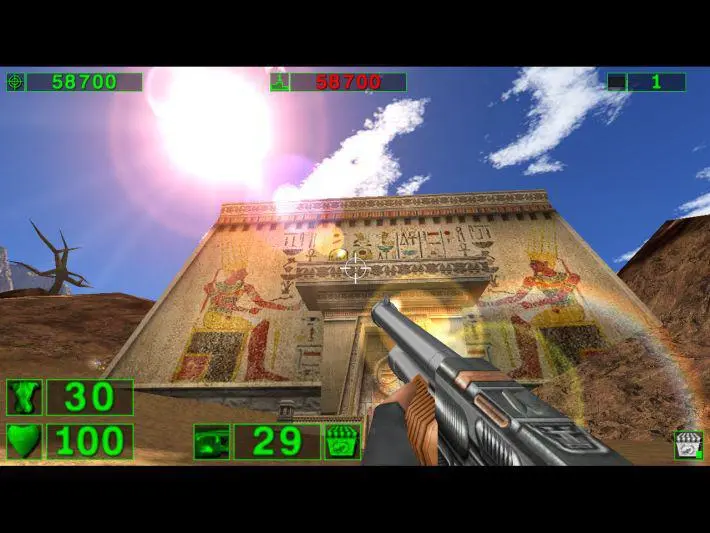
- Top Left: Your current health (green bar) and armor (blue bar). Keep an eye on these, as they deplete quickly under heavy fire.
- Bottom Left: Your currently equipped weapon and its remaining ammunition count. Some weapons have an alternate fire mode, indicated here.
- Bottom Right: A small radar showing nearby enemies as red dots. This is incredibly useful for anticipating ambushes and tracking down stragglers.
- Center Screen: Your crosshair, which changes color to indicate if you're aiming at an enemy.
- Occasional Pop-ups: Messages about new objectives, item pickups, or secret discoveries will appear briefly in the center of the screen.
Understanding the UI allows you to make quick decisions in the heat of battle. Prioritize picking up health and armor power-ups when your bars are low, and always be aware of your ammo count to avoid being caught unprepared.