
Understanding the UI will help you keep track of your progress and resources:
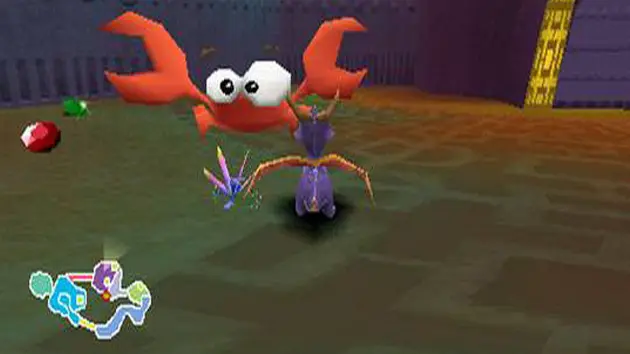
- Gem Counter: Located in the top-left corner of the screen. Displays the total number of gems you've collected in the current level out of the total available. Gems are the primary currency in Avalar, used to pay Moneybags for new abilities and access to new areas.
- Orb Counter: Located next to the gem counter. Shows how many Orbs you've collected in the current level. Orbs are awarded for completing challenges and are essential for progressing the story.
- Life Counter: Represented by Spyro's head in the top-right corner. Each hit you take reduces your life. If you run out of life, you lose a life and restart from the last checkpoint.
- Sparx's Health: Sparx, your dragonfly companion, acts as your health bar. He changes color based on how much health you have:
- Gold: Full health (3 hits remaining)
- Blue: Medium health (2 hits remaining)
- Green: Low health (1 hit remaining)
- No Sparx: Next hit means losing a life.
- Ability Icons: When you acquire new abilities, small icons may appear on the screen to remind you of their availability.
- Pause Menu: Press Start to access the pause menu, where you can view your gem and orb totals, save your game, and adjust settings.
Always keep an eye on Sparx's color to know when to seek out butterflies and replenish your health. Collecting gems is paramount for unlocking new areas and abilities, so explore every nook and cranny!