
The SSX 3 UI is clean and informative, providing all the necessary details without cluttering your screen. Here's a breakdown of key UI elements you'll encounter during gameplay:
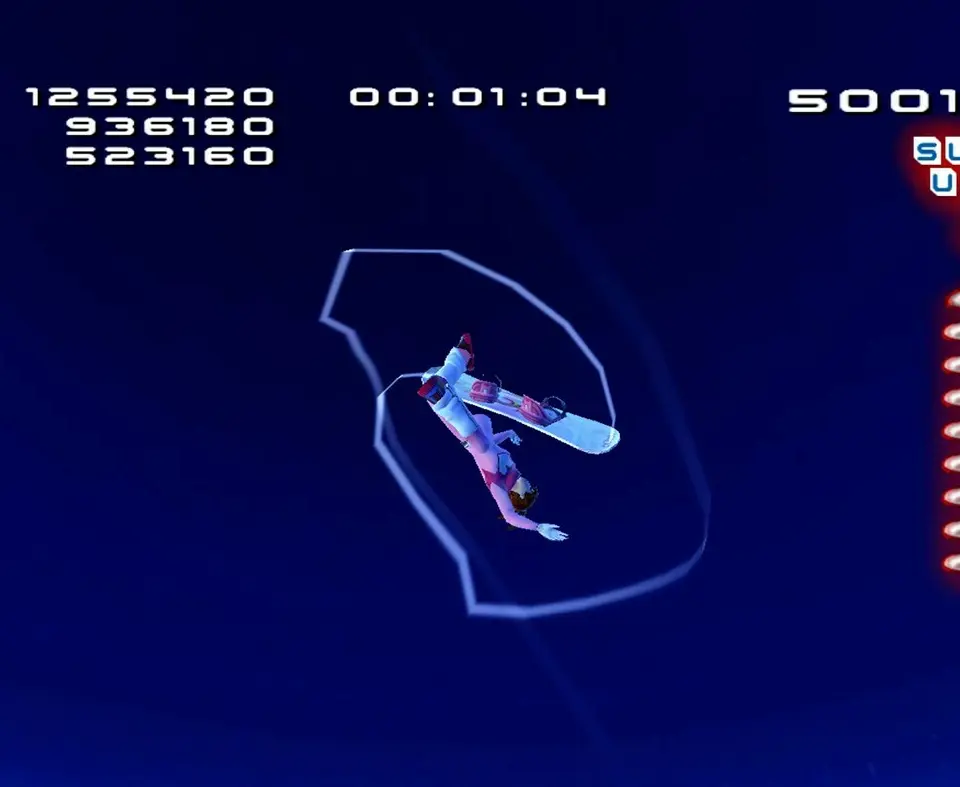
- Boost Meter (Bottom Center): This glowing bar indicates your available boost. It fills by performing tricks, grinds, and taking air. When full and glowing, you can perform Uber Tricks.
- Score Display (Top Left): Shows your current trick score during events or your cumulative score in Freeride.
- Combo Multiplier (Next to Score): Increases as you link tricks together. The higher the multiplier, the more points you earn.
- Position/Time (Top Right): In Race events, this shows your current position and elapsed time. In Trick events, it might show remaining time.
- Health Bar (If applicable, e.g., during Big Challenges): Some events or challenges might feature a health bar, indicating your rider's resilience to falls.
- Trick Display (Mid-Screen, temporarily): When performing a trick, the name of the trick and its score will briefly appear.
- Map (Pause Menu): Access the full mountain map from the pause menu to navigate between peaks, events, and lodges.
Familiarizing yourself with these elements will help you make informed decisions during events and optimize your performance. Pay close attention to your Boost Meter, as managing it effectively is key to high scores and winning races.
Compare understanding the user interface (ui) inAssetto Corsa