
Co-op Play Explained
Super Mario Bros. Wonder elevates the classic Mario experience with robust co-op options, allowing up to four players to team up and tackle the Flower Kingdom's challenges together. Whether you're huddled on the couch with friends or connecting with players across the globe, understanding the nuances of co-op play is crucial for maximizing fun and efficiency. This guide breaks down both local and online multiplayer, highlighting their unique features and offering strategies for success.
Local Co-op: Shared Screen, Shared Adventure
Local co-op in Super Mario Bros. Wonder brings back the familiar joy of playing side-by-side. Up to four You can join the same game on a single Nintendo Switch console, each controlling their chosen character from the diverse roster (Mario, Luigi, Peach, Daisy, Toad, Nabbit, Yoshi, or the four different-colored Yoshis).
- Player Count: 2-4 players on one console.
- Screen Sharing: All players share the same screen. The camera dynamically adjusts to keep all active players in view. If players move too far apart, the camera will prioritize You who is furthest ahead or the designated "host" (usually Player 1). Players who fall too far behind will be automatically teleported back to the active screen area.
- Revival Mechanic: When a player takes damage and loses all their hearts, they transform into a ghost. This ghost can float freely around the screen for a short period. Any other active player can revive the ghost simply by touching them. This allows for incredibly forgiving gameplay, as long as at least one player remains alive. If all players become ghosts simultaneously, it's game over.
- Character Selection: Each player can choose their preferred character. Note that Yoshi and Nabbit characters do not take damage from enemies (though they can still fall into pits), making them excellent choices for less experienced players or those looking for an easier ride.
- Communication is Key: While playing locally, direct communication is effortless. Coordinate jumps, warn teammates of incoming enemies, and strategize on how to tackle puzzles or collect Wonder Seeds. For example, one player might distract an enemy while another grabs a hard-to-reach item, or You can use each other as platforms for higher jumps.
Online Co-op: Connecting Across Worlds
Online co-op in Super Mario Bros. Wonder offers a unique, asynchronous multiplayer experience that blends direct interaction with a sense of community. While you won't be directly sharing a screen with online players in the same way as local co-op, their presence is constantly felt and incredibly beneficial.
- Player Count: Up to 4 You can be in the same online room. You can play with friends by setting up a private room with a Room ID, or join a public room to play with random players.
- "Live Shadows" Explained: When playing online, you'll see other players in the same course as "live shadows" or silhouettes. These aren't just cosmetic; they represent other players actively progressing through the level in real-time. You can see their movements, jumps, and interactions with the environment.
- Independent Screens: Unlike local co-op, each online player has their own independent screen. The camera focuses solely on your character. This means You can be far apart on the course without being forced back together by the camera.
- Revival via Standees: This is a crucial mechanic for online play. If you lose all your hearts and become a ghost, you can be revived by touching another active online player's "live shadow." However, if no other players are nearby, you can also be revived by touching a Standee. Standees are cardboard cutouts that You can place anywhere on a course. When you place a Standee, it appears in other players' games, and they can use it to revive themselves if they become a ghost. This creates a supportive network where players indirectly help each other overcome challenges. You can place Standees by pressing the R button.
- Heart Sharing: When a player collects a heart, it also appears for other online players, allowing everyone to benefit from health pickups.
- Communication (Indirect): While direct voice chat isn't built into the game for random online play, communication happens indirectly through actions. Placing a Standee in a tricky spot, pointing out a hidden block with an emote, or simply seeing how other players tackle a challenge can provide valuable hints and assistance. For private rooms with friends, external voice chat (e.g., Discord) is highly recommended for coordinated play.
- World Map Interaction: On the world map, you'll see other players' live shadows moving around. You can wave at them, see what courses they're playing, and even join their courses if they're in a public room.
Differences Between Local and Online Co-op
Understanding these distinctions is key to choosing the best co-op experience for your playstyle:
| Feature | Local Co-op | Online Co-op |
|---|---|---|
| Player Count | 2-4 players on one console | Up to 4 players in an online room |
| Screen Management | Shared screen, camera adjusts to keep all players in view. Players are pulled back if too far apart. | Independent screens for each player. Camera focuses on your character. You can be far apart. |
| Revival Mechanic | Touch a ghost directly to revive. | Touch another player's "live shadow" or a placed Standee to revive. |
| Communication | Direct verbal communication is natural and easy. | Indirect (via Standees, emotes, observing others) or external voice chat for friends. |
| Proximity | Players are always relatively close due to shared screen. | You can be anywhere on the course, even in different sections. |
| Interaction | Direct physical interaction (e.g., bouncing off each other). | Indirect interaction (seeing shadows, sharing hearts, Standees). |
Tips for Effective Co-op Play
Regardless of whether you're playing locally or online, these tips will help you and your teammates succeed:
- Embrace the Revival System: Don't be afraid to take risks! The generous revival system means that as long as one player is alive, the others can be brought back. Use this to your advantage to explore dangerous paths or attempt tricky jumps.
- Character Synergy: Consider your character choices. Yoshis and Nabbit offer an easier experience due to their invulnerability to enemy damage, making them great for new players or to ensure someone can always stay alive to revive others. Other characters offer unique power-up interactions.
- Patience and Coordination: Especially in local co-op, avoid rushing ahead. Wait for your teammates, especially before difficult platforming sections or boss encounters. In online play, observe how others are tackling challenges; their actions might provide insights.
- use Standees (Online): Make it a habit to place Standees in strategic locations, especially near challenging sections, hidden areas, or before boss fights. This significantly increases the chances of revival for yourself and other players. A well-placed Standee can be the difference between success and failure.
- Share Power-ups: If you already have a power-up and find another, consider leaving it for a teammate who might need it more. A well-equipped team is a strong team.
- Look for Secrets Together: Many of Super Mario Bros. Wonder's secrets, like hidden Wonder Seeds or 10-Flower Coins, are easier to find with multiple sets of eyes. Work together to explore every nook and cranny.
- Practice Makes Perfect: Co-op, especially with new teammates, takes practice. Learn each other's playstyles and adapt. The more you play together, the more seamless your teamwork will become.
Super Mario Bros. Wonder's co-op modes are designed to be inclusive and fun, offering different ways to enjoy the adventure. Whether you prefer the direct chaos of local play or the supportive network of online shadows, teaming up is an excellent way to experience the game's whimsical world and challenging levels.
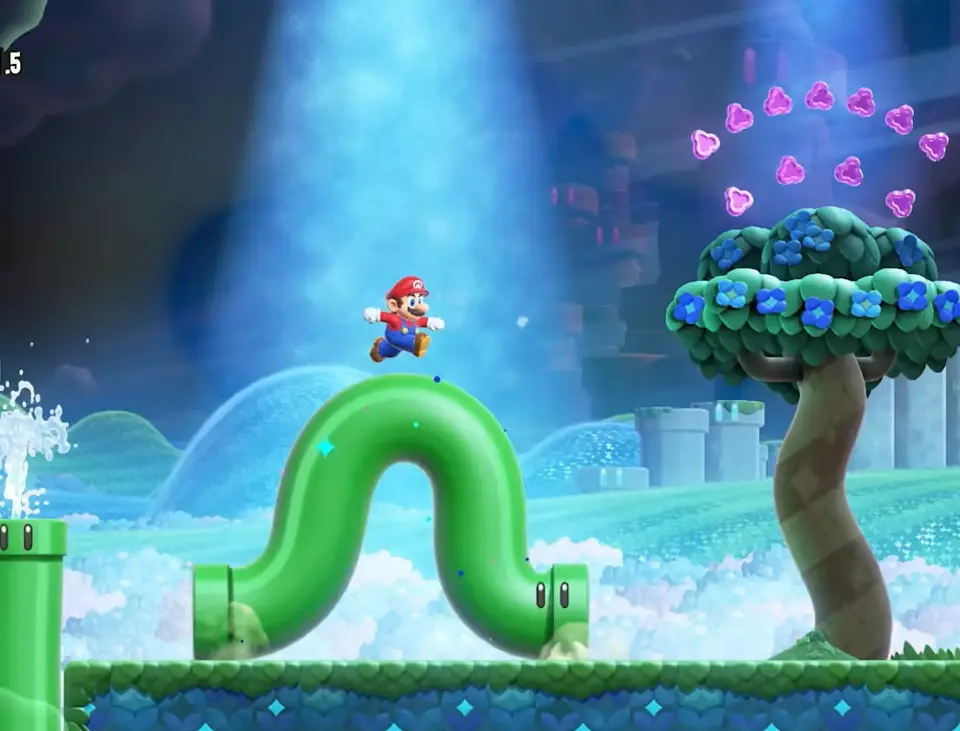
While Super Mario Bros. Wonder features real-time interaction, it adopts the ghost-based multiplayer system seen in Mario Kart Tour to keep online gameplay fluid and lag-free.
While Super Mario Galaxy limited the second player to a cursor-based support role, Super Mario Bros. Wonder allows every participant to control a fully functional character on screen.