The Super Mario Kart user interface is straightforward but provides all the essential information you need during a race. Familiarizing yourself with these elements will help you make informed decisions and track your progress.
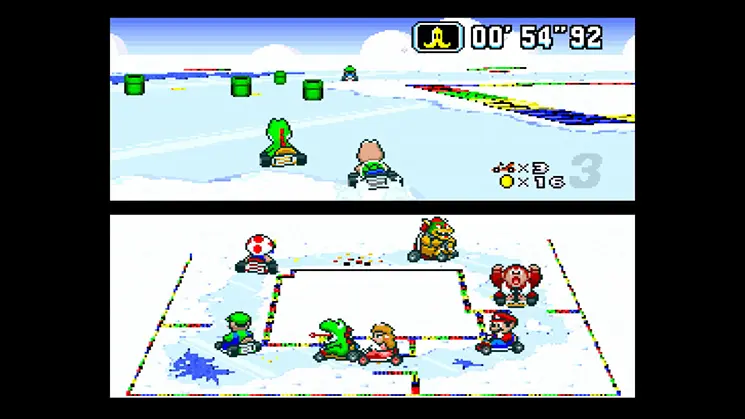
- Top Left: Your current position in the race (e.g., 1st/8).
- Top Right: Lap counter (e.g., Lap 1/3).
- Bottom Left: Your character's portrait and the item you currently possess. This is crucial for knowing when to deploy your power-up.
- Bottom Right: The mini-map. This displays the track layout, your position, and the positions of other racers as colored dots. Pay close attention to the mini-map to anticipate upcoming turns and item boxes.
- Center Screen (during race): Your kart and the track ahead.
- Speedometer: While not explicitly a number, your kart's engine sound and visual speed give you a good indication of your current velocity.
During Grand Prix mode, you'll also see a score tally after each race, indicating your points earned towards the cup. In Battle Mode, the UI changes to show your balloon count and opponent's positions more prominently.