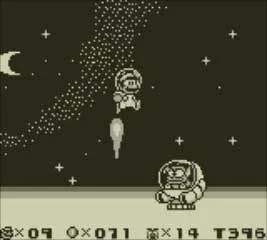
Game Over & Continue System
Even the most seasoned Mario veterans will occasionally face a "Game Over" screen. Understanding how the continue system works in Super Mario Land 2: 6 Golden Coins is crucial for efficient progress and minimizing frustration. This section details how to manage your lives, continue your adventure, and even exploit a handy trick to save your progress.
Understanding Lives and Continues
In Super Mario Land 2, Mario begins each game with a set number of lives. Losing all your lives results in a "Game Over." However, the game offers a generous continue system that allows you to pick up where you left off, albeit with a slight penalty.
- Initial Lives: You typically start with 3 lives.
- Gaining Lives: Lives can be acquired in several ways:
- Collecting 100 Coins: Every 100 coins you gather grants you an extra life.
- Finding 1-Up Hearts: These rare items instantly give you an additional life. Look for them in hidden blocks or as rewards in bonus games.
- Bonus Games: The mini-games found in the Mushroom House (the very first level) and other secret locations often offer 1-Up Hearts as prizes.
- Game Over: When your life counter hits zero, the "Game Over" screen appears.
The Continue Option
Upon seeing the "Game Over" screen, you will be presented with a choice:
- Continue: Selecting "Continue" allows you to restart from the beginning of the current zone you were in. For example, if you got a Game Over in Macro Zone-3, you'll restart at the entrance to the Macro Zone map. You will begin with 3 lives, regardless of how many you had when you lost your last life.
- End: Choosing "End" will return you to the title screen, effectively erasing all unsaved progress.
Always opt for "Continue" unless you specifically want to restart your entire game from scratch.
Saving Your Progress (The "Save Trick")
Unlike some other Mario titles, Super Mario Land 2 does not feature a traditional save system accessible from a menu. However, there's a critical "save trick" that every player should know to avoid losing significant progress:
- Reach the World Map: The game automatically saves your progress whenever you return to the main world map after completing a level or exiting a zone.
- Deliberate Game Over: To "save" your current progress (including collected Golden Coins and cleared levels) without having to complete another stage, intentionally get a Game Over.
- Select "End": When the "Game Over" screen appears, choose "End." This will take you back to the title screen.
- Restart the Game: When you start a new game, you will find that all the levels you've cleared and Golden Coins you've collected up to your last visit to the world map are still registered as complete. You will, however, start with 3 lives.
This method is invaluable for players who need to stop playing but want to ensure their hard-earned progress is not lost. It's particularly useful after clearing a challenging zone like the Space Zone or Pumpkin Zone, where you might not want to risk losing your progress by continuing into another level immediately.
Example Scenario: You've just defeated the boss of the Tree Zone and collected your first Golden Coin. You're low on lives and need to take a break. Instead of continuing to the next zone and risking a Game Over that forces you to restart that new zone, intentionally lose your remaining lives. When the "Game Over" screen appears, select "End." The next time you play, the Tree Zone will still be marked as complete, and you'll start with 3 fresh lives on the world map, ready to tackle the next challenge.