Troubleshooting & Common Issues
Even the most seasoned adventurers in Rieze Maxia can encounter a snag or two. This section aims to address common difficulties and provide actionable solutions to keep your journey through Tales of Xillia smooth and enjoyable. From tricky boss battles to perplexing side quests, we've got you covered.
Combat Conundrums
Difficulty Spikes & Overwhelming Foes
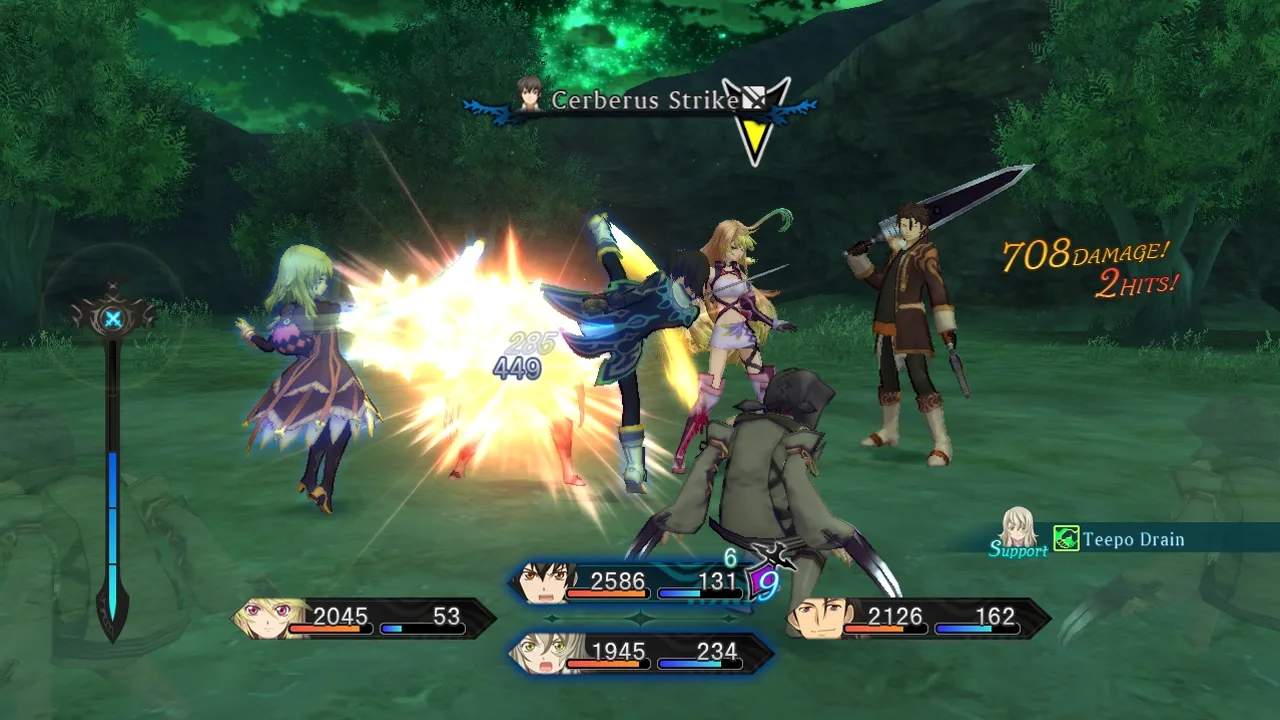
Are you finding certain enemy encounters or boss fights unexpectedly brutal? Tales of Xillia can occasionally throw a curveball, especially if you haven't been diligent with character development.
- Grinding for Levels: If you're consistently underperforming, consider spending some time leveling up. Good spots for early-game grinding include the Sapstrath Highroad (near Hamil) for quick experience against groups of monsters like Apes and Boars, or later, the Featherfall Way for more challenging but rewarding encounters.
- Optimizing Equipment: Always ensure your party members have the best available gear. Visit the shops in towns like Nia Khera, Hamil, or Sharilton regularly. check the Accessory slot; items like the Talisman (increases defense) or Stun Bracelet (increases stun chance) can make a significant difference.
- Food Buffs: The cooking system is your friend! Before a tough battle, consume food that grants beneficial stats. For example, Mabo Curry (increases Attack) or Cream Stew (increases Defense) can be purchased from various vendors or cooked if you have the ingredients. Ingredients are often found in exploration points or dropped by enemies.
- Elemental Weaknesses: Pay attention to enemy weaknesses. Use the Analyzer item (purchasable from shops or found in chests) or the Scan skill (Milla's skill) to reveal enemy stats and elemental affinities. Equipping elemental weapons or using corresponding elemental Artes can drastically shorten fights. For instance, many early-game beasts are weak to Fire.
- Strategize Your Artes: Review your party's Artes. Ensure you have a balanced set of offensive, defensive, and healing Artes equipped. For boss fights, consider setting specific Artes to "Auto" for AI characters or assigning them to shortcuts for quick access.
Running Low on TP/HP During Dungeons
Long dungeons can drain your resources quickly, leaving you vulnerable for boss encounters or future exploration.
- Utilize Gels: Always carry a healthy stock of Apple Gels (restores HP) and Orange Gels (restores TP). These are readily available at any general store. For longer excursions, consider Lemon Gels and Pineapple Gels for larger restorations.
- Rest at Inns: Don't hesitate to backtrack to the nearest town and rest at an inn. While it costs Gald, it fully restores HP and TP and removes all status ailments.
- Heal Artes & Skills: Ensure your healer (typically Elize or Leia) has their healing Artes prioritized and equipped. Elize's Nurse and Leia's Heal are essential. Consider equipping skills like TP Boost or HP Boost from the Lilium Orb to increase maximum resources.
- Link Artes for TP Recovery: Certain Link Artes, especially those involving Leia, can have beneficial effects like TP recovery. Experiment with different linked partners to find combinations that suit your needs.
- "Auto Item" Settings: Adjust your "Auto Item" settings in the menu (
Menu > Strategy > Auto Item). Set thresholds for when characters should automatically use Gels. This can prevent critical situations where you forget to heal.
Exploration & Navigation Headaches
Lost or Stuck in a Dungeon/Area
Rieze Maxia's environments can sometimes be sprawling, leading to moments of confusion.
- Check Your Map: The in-game map (accessible via the
Menu) is your best friend. Look for objective markers (often a red exclamation mark or star) and unexplored areas. Pay attention to the legend for icons indicating exits, save points, and treasure chests. - Look for Hidden Paths: Many areas have subtle paths or ledges that aren't immediately obvious. Rotate the camera (using the right analog stick) to get different perspectives. Sometimes, a seemingly impassable rock wall might have a narrow passage.
- Talk to NPCs: If you're stuck on a quest, return to the quest giver or talk to nearby NPCs in towns. They often provide hints or direct you to the next location.
- Consult Your Journal: Your journal (
Menu > Journal) logs all active and completed quests, often providing a reminder of your current objective and location.
Missing a Side Quest or Collectible
Completionists, rejoice! But also, be aware that some side content can be easily missed.
- Check Bulletin Boards: Many side quests are initiated by reading bulletin boards in towns like Sharilton, Hamil, and Xagut Floodmeadow. Make it a habit to check these whenever you enter a new town or after major story events.
- Explore Thoroughly: Leave no stone unturned! Many collectibles (like Gald, items, and materials) are found in sparkling points on the ground or in chests. Revisit areas after story progression, as new items or events might appear.
- Sub-Events: Pay attention to the "!" icons on your map when in towns. These indicate optional sub-events that often lead to character development, unique items, or new side quests. Some are time-sensitive, so address them when you see them.
Technical & Performance Issues
Occasional Framerate Drops
While Tales of Xillia generally runs well on the PlayStation 3, certain graphically intensive areas or combat scenarios with many effects can cause minor framerate dips.
- Clear PS3 Cache: Occasionally clearing your PlayStation 3's cache can help. This is typically done by holding down the power button until the system beeps twice, then selecting the option to restore default settings (this does NOT delete save data). Consult your PS3 manual for precise instructions.
- Ensure Adequate Ventilation: Make sure your PS3 console has proper airflow and isn't overheating. Overheating can sometimes lead to performance issues.
- Install Game Data (if applicable): If you're playing from a disc, check if there's an option to install game data to the PS3's hard drive. This can sometimes improve loading times and reduce stuttering.
Game Freezes or Crashes
While rare, unexpected freezes or crashes can occur. This is often an issue with the console itself or the game disc.
- Clean Game Disc: If playing from a physical disc, gently clean the disc with a soft, lint-free cloth. Dust or smudges can interfere with the console's ability to read the data.
- Rebuild PS3 Database: Similar to clearing the cache, rebuilding the PS3 database can resolve various system-level issues that might contribute to game instability. Access this from the PS3's Safe Mode. Again, consult your PS3 manual.
- Check for System Updates: Ensure your PlayStation 3 system software is up to date. Outdated firmware can sometimes cause compatibility issues.
- Report Persistent Issues: If you're experiencing consistent crashes in specific areas, consider checking online forums (like the GameFAQs Tales of Xillia boards) to see if other players have encountered similar problems. It might be a known bug or a sign of a failing console.