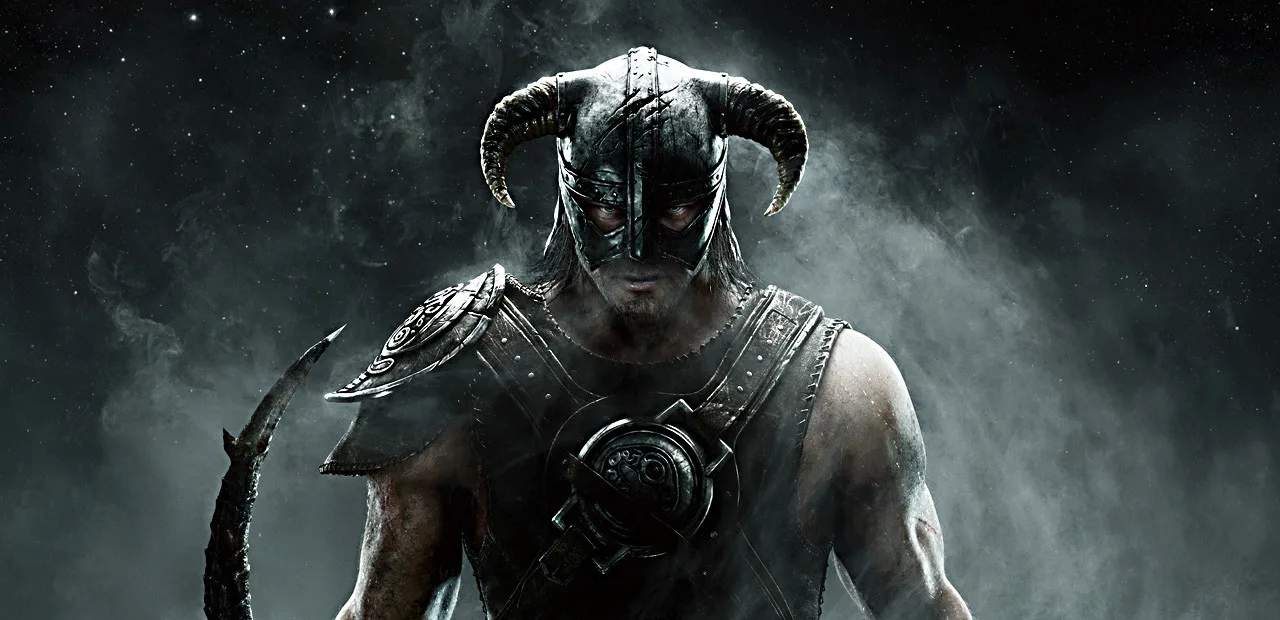
Installation & System Requirements
Welcome, Dragonborn, to the definitive guide for installing and optimizing your journey through the vast lands of Skyrim! Whether you're a seasoned adventurer returning to Tamriel or a fresh-faced recruit ready to face dragons for the first time, ensuring your system is prepared is the first crucial step. This section provides comprehensive details on system requirements across all supported platforms, installation procedures, and essential tips for a smooth experience.
Supported Platforms & Editions
Skyrim has seen several iterations and releases over the years, each bringing graphical enhancements, bundled content, or performance improvements. This guide primarily focuses on The Elder Scrolls V: Skyrim – Special Edition and The Elder Scrolls V: Skyrim – Anniversary Edition, as these are the most commonly available and feature-rich versions. The game is available on the following platforms:
- PC: Windows (via Steam, GOG, Epic Games Store)
- PlayStation: PS4, PS5
- Xbox: Xbox One, Xbox Series X/S
- Nintendo Switch
PC System Requirements
For PC players, meeting or exceeding the recommended specifications is key to experiencing Skyrim at its best, especially if you plan on using extensive modifications. While the game is over a decade old, its Special and Anniversary Editions, coupled with high-resolution texture packs and community mods, can still demand a capable machine.
Minimum PC System Requirements (Skyrim Special Edition)
These specifications will allow you to run the game at lower settings, typically 1080p resolution with 30-45 FPS, depending on the scene.
- Operating System: Windows 7/8.1/10 (64-bit Version)
- Processor (CPU): Intel Core i5-750 / AMD Phenom II X4-945
- Memory (RAM): 8 GB RAM
- Graphics Card (GPU): NVIDIA GeForce GTX 470 1GB / AMD HD 7870 2GB
- DirectX: Version 11
- Storage Space: 12 GB available space (for Special Edition base game)
- Internet: Broadband Internet connection required for initial download, updates, and Creation Club content.
Recommended PC System Requirements (Skyrim Special Edition)
Achieving these specifications will provide a much smoother experience, allowing for higher graphical settings, 1080p at 60 FPS, and better performance with moderate modding.
- Operating System: Windows 7/8.1/10 (64-bit Version)
- Processor (CPU): Intel Core i5-2400 / AMD FX-8320
- Memory (RAM): 8 GB RAM
- Graphics Card (GPU): NVIDIA GeForce GTX 780 3GB / AMD Radeon R9 290 4GB
- DirectX: Version 11
- Storage Space: 12 GB available space (for Special Edition base game)
- Internet: Broadband Internet connection required for initial download, updates, and Creation Club content.
Additional PC Considerations for Anniversary Edition & Modding
The Anniversary Edition includes all Creation Club content, significantly increasing the storage footprint. For heavy modding, especially with high-resolution texture packs and script-heavy mods, you'll want to aim for specifications beyond the recommended.
- Anniversary Edition Storage: Approximately 20-25 GB available space (base game + all Creation Club content).
- Modding Storage: Allocate an additional 50-100+ GB for mods, depending on your ambitions. An SSD is highly recommended for modding.
- CPU for Modding: A modern quad-core or hexa-core CPU (e.g., Intel i7-7700K or AMD Ryzen 5 2600X or newer) will handle script-heavy mods better.
- GPU for Modding: NVIDIA GeForce GTX 1070/RTX 2060 or AMD Radeon RX Vega 56/RX 5700 XT (or newer) with 6GB+ VRAM is advisable for 1440p or extensive visual mods.
- RAM for Modding: 16 GB RAM is strongly recommended for stability with a large mod list.
- Storage Type: Installing the game on a Solid State Drive (SSD) is paramount for significantly faster loading times, especially with mods. A traditional Hard Disk Drive (HDD) will result in noticeably longer loading screens.
Console Installation & Storage Requirements
Installing Skyrim on consoles is generally straightforward, involving digital download or disc installation. Updates are handled automatically by the console's system.
PlayStation (PS4, PS5)
- Installation: Purchase digitally from the PlayStation Store or insert the game disc. The console will automatically begin the installation process. Ensure you have an active PlayStation Network account for updates and online features (like Creation Club).
- PS4 Storage: Approximately 12 GB (Special Edition), 20-25 GB (Anniversary Edition).
- PS5 Storage: Approximately 12 GB (Special Edition), 20-25 GB (Anniversary Edition). The PS5 version benefits from faster loading times due to the console's SSD.
- Updates: Console will prompt for game updates. A stable internet connection is required for downloads.
Xbox (Xbox One, Xbox Series X/S)
- Installation: Purchase digitally from the Xbox Store or insert the game disc. The console will automatically begin the installation process. An active Xbox Live account is needed for updates and online features.
- Xbox One Storage: Approximately 12 GB (Special Edition), 20-25 GB (Anniversary Edition).
- Xbox Series X/S Storage: Approximately 12 GB (Special Edition), 20-25 GB (Anniversary Edition). The Xbox Series X/S versions leverage the console's SSD for significantly reduced loading times.
- Updates: Console will prompt for game updates. A stable internet connection is required for downloads.
Nintendo Switch
- Installation: Purchase digitally from the Nintendo eShop or insert the game cartridge.
- Storage: Approximately 14.3 GB (Special Edition). Note that the Switch version does not have the Anniversary Edition upgrade or Creation Club content.
- MicroSD Card: If purchasing digitally, ensure you have sufficient space on your Switch's internal storage or a compatible MicroSD card.
- Updates: Console will prompt for game updates. A stable internet connection is required for downloads.
Internet Connection Requirements
Across all platforms, a stable internet connection is primarily required for the following:
- Initial Game Download: For digital purchases, the entire game client must be downloaded.
- Game Updates/Patches: Bethesda frequently releases patches to fix bugs or introduce minor improvements.
- Creation Club Content (PC, PlayStation, Xbox): Accessing and downloading official Creation Club mods and content requires an internet connection. Once downloaded, most Creation Club content can be used offline.
- Cloud Saves: Syncing your game saves to cloud services (Steam Cloud, PlayStation Plus, Xbox Live Cloud Saves) requires an internet connection. This is highly recommended for data backup.
Note: Skyrim is fundamentally a single-player offline experience. Once the game and any desired Creation Club content are downloaded and updated, you can play the vast majority of the game without an active internet connection.
Pre-Installation Checklist & Tips
Before you begin your installation, consider these points for the best possible experience:
- Update Drivers (PC): Ensure your graphics card drivers (NVIDIA, AMD, Intel) are up to date. Outdated drivers are a common cause of performance issues and crashes.
- Free Up Storage: Double-check that you have more than the minimum required storage space. This allows for future updates, saves, and potential mods.
- Close Background Applications (PC): For a smoother installation and initial launch, close any unnecessary background programs.
- Administrator Privileges (PC): When installing on PC, run the installer as an administrator to prevent potential permission issues.
- SSD Installation (PC): As mentioned, prioritize installing Skyrim on an SSD if you have one. The difference in loading times is substantial.
- Check for Console System Updates: Ensure your console's operating system is fully updated before installing a new game.
With your system now prepared, you are ready to embark on your epic adventure across the frosty peaks and ancient ruins of Skyrim. May your blades be sharp and your spells potent!
Compare installation & system requirements inThe Elder Scrolls VI