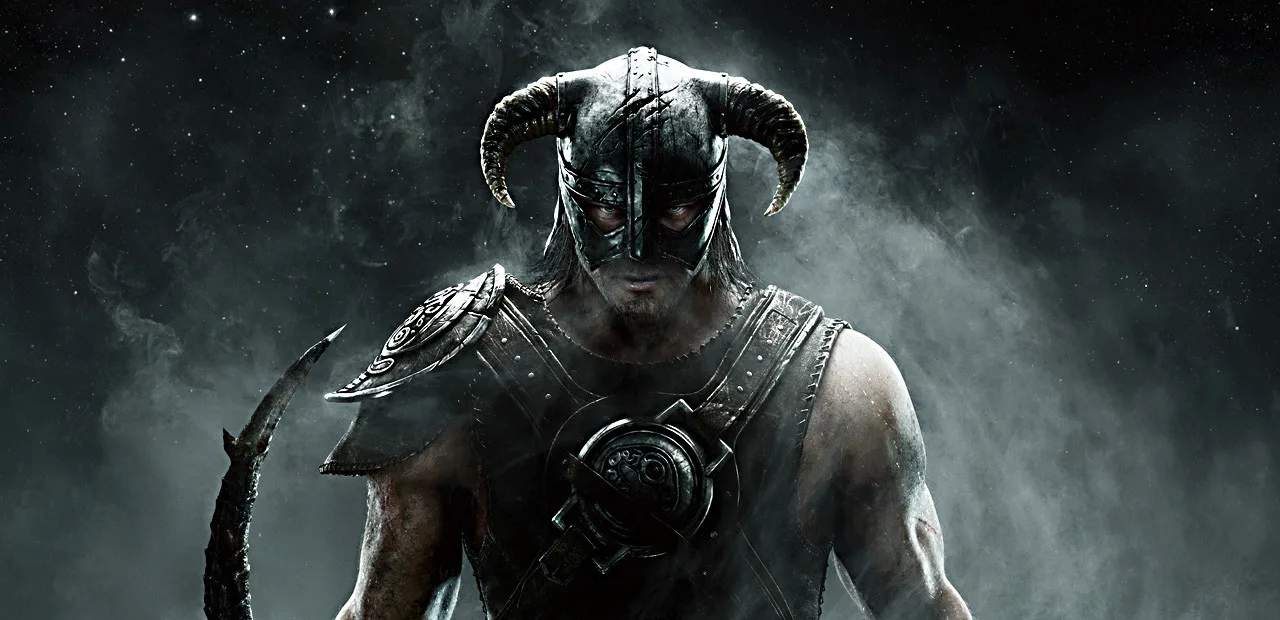
Graphics & Visual Enhancement Mods
Skyrim's visual fidelity can be sificantly enhanced through the use of graphics and visual enhancement mods. While the base game is visually impressive, a dedicated modding community has created a plethora of tools and assets that can transform the game's appearance, from sharper textures and more realistic lighting to improved weather effects and character models. These mods can breathe new life into the game, making it feel more modern and immersive.
The most common types of graphics mods include texture packs, lighting overhauls, weather systems, and ENB (Enhanced Natural Beauty) presets. Texture packs replace the game's default textures with higher-resolution versions, making surfaces like rocks, wood, and armor appear much more detailed. Lighting mods alter how light behaves in the game, creating more realistic shadows, god rays, and ambient occlusion. Weather mods introduce dynamic and visually stunning weather patterns, from heavy snowstorms to vibrant sunsets.
Essential Graphics Mod Categories:
- Texture Overhauls: These mods replace the game's default textures with higher-resolution versions. Examples include Skyrim 2020 Parallax, Noble Skyrim Mod HD-2K, and Static Mesh Improvement Mod (SMIM).
- Lighting Mods: These alter the game's lighting engine for more realistic effects. Popular choices include Realistic Lighting Overhaul (RLO), Enhanced Lights and FX (ELFX), and Relighting Skyrim.
- Weather Mods: These introduce dynamic and visually appealing weather systems. Examples include Vivid Weathers, Obsidian Weathers and Seasons, and Cathedral Weathers and Seasons.
- ENB Presets: ENB is a graphical modification that allows for advanced post-processing effects, such as depth of field, bloom, and color correction. ENB presets are custom configurations that use ENB to achieve specific visual styles. Popular presets include Rudy ENB, Natural and Atmospheric Tamriel (NAT), and Re-Engaged ENB.
- Flora and Fauna Enhancements: Mods that improve the appearance of trees, grass, and creatures, such as Skyrim Flora Overhaul, Enhanced Vanilla Trees, and Realistic Wildlife Behavior.
Installing Graphics Mods:
Installing graphics mods typically requires a mod manager. The most popular and recommended ones are:
- Mod Organizer 2 (MO2): Highly recommended for its virtual file system, which keeps your Skyrim installation clean and makes managing complex mod lists easier.
- Vortex: Nexus Mods' official mod manager, which is user-friendly and integrates well with the Nexus Mods website.
- Nexus Mod Manager (NMM): An older but still functional option.
Steps for Mod Installation (General):
- Install a Mod Manager: Download and install Mod Organizer 2 or Vortex.
- Create an Account on Nexus Mods: Most Skyrim mods are hosted here.
- Download Mods: Use your mod manager to download mods directly from Nexus Mods.
- Install Mods: Follow your mod manager's instructions to install the mods.
- Configure Load Order: Use LOOT (Load Order Optimization Tool) to sort your mod load order for stability.
- Install ENB: For ENB presets, you'll typically need to download the ENB binaries separately from the ENBSeries website and then install the preset files into your Skyrim game directory.
- Test Thoroughly: Launch the game and check for visual improvements and potential conflicts.
Recommended Graphics Mod Combinations:
| Category | Recommended Mod(s) | Notes |
|---|---|---|
| Textures | Skyrim 2020 Parallax, SMIM | Improves almost all surfaces. |
| Lighting | ELFX (Enhanced Lights and FX) | More atmospheric interiors and exteriors. |
| Weather | Obsidian Weathers and Seasons | Realistic and varied weather. |
| ENB Preset | Rudy ENB (for Obsidian Weathers) | Requires ENB binaries. Adjust settings for performance. |
| Flora | Skyrim Flora Overhaul | More detailed trees and plants. |
Performance Considerations:
High-resolution textures and advanced lighting effects can sificantly impact performance. Ensure your PC meets the recommended specifications for the mods you choose. Many ENB presets and texture packs offer performance-friendly options or require tweaking in-game settings.
By carefully selecting and installing graphics mods, you can dramatically improve Skyrim's visual presentation, making your return to the province even more breathtaking.