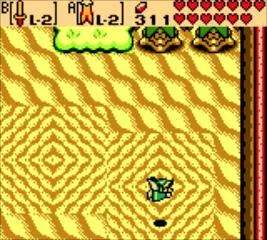
Game Controls
Mastering the controls in The Legend of Zelda: Oracle of Seasons is crucial for navigating Holodrum, conquering dungeons, and defeating formidable foes. While seemingly simple, understanding the nuances of item assignment and movement will greatly enhance your adventure. This section details every button input and its function.
Basic Movement and Interaction
- Directional Pad (D-Pad): This is your primary method for moving Link. Pressing any direction on the D-Pad will move Link in that corresponding direction (Up, Down, Left, Right). Precision movement is key for dodging enemy attacks, navigating narrow passages, and solving puzzles.
- A Button:
- Action/Use Item: The A Button is context-sensitive. When an item is assigned to the A Button slot in your inventory, pressing A will use that item. This could be swinging your Sword, launching a Boomerang, or planting a Bomb.
- Talk/Examine: When standing next to an NPC or an interactive object (like a sign, chest, or switch), pressing A will initiate conversation or interaction.
- Lift/Throw: When standing next to certain objects like rocks or pots, pressing A will lift them. Pressing A again will throw the lifted object. This is essential for finding hidden items or clearing paths.
- B Button:
- Action/Use Item: Similar to the A Button, the B Button is also an assignable item slot. You can equip a different item here than on the A Button, allowing for quick access to two distinct tools or weapons.
- Sword Attack (Default): If no item is assigned to the B Button, it will default to swinging your Sword. This is your basic attack and will be used frequently throughout the game.
Menu and Inventory Management
- START Button: Pressing the START button will open your Subscreen (also known as the Inventory or Menu). From here, you can:
- Equip Items: Select an item from your inventory and assign it to either the A or B button slots. This is how you customize your active toolkit.
- View Maps: Access the overworld map or the current dungeon map (if you've found it).
- Check Quest Status: Review your current objectives and collected items.
- Save Game: Crucially, you can save your progress from this menu. Always save before quitting or after significant progress!
- SELECT Button: The SELECT button has a specific, important function:
- Switch Ring: If you have obtained the Ring Box and collected various Magic Rings, pressing SELECT will open the Ring menu. From here, you can equip or unequip a single Ring. Remember that only one Ring can be active at a time, and their effects vary widely, from increasing defense to boosting attack power. Experiment with different Rings to find what suits your playstyle or the current challenge.
Advanced Techniques and Tips
- Quick Item Swapping: While in the heat of battle, you might need to quickly switch between items. Practice navigating the Subscreen efficiently to minimize downtime. For example, if you need to use the Seed Shooter for a distant enemy and then immediately switch to the Shovel to dig, knowing your inventory layout will save you precious seconds.
- Shield Usage: Once you acquire the Wooden Shield (and later the Iron Shield), it will automatically defend against most frontal projectiles when you are not actively attacking or using another item. There's no specific "block" button; Link will raise his shield when idle or moving without an item equipped to A or B that prevents shielding.
- Power Bracelets: After obtaining the Power Bracelets, Link will automatically be able to lift heavier objects that were previously immovable. There's no special button press required; simply approach the object and press A.