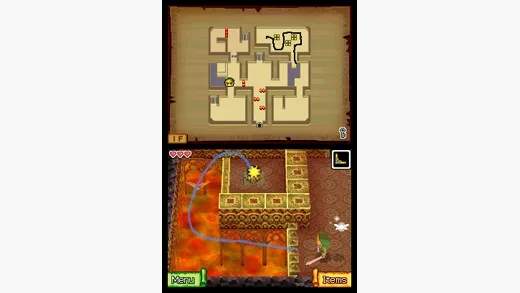
Ocean King's Map & Sea Chart
Navigating the Great Sea in Phantom Hourglass is a core part of your adventure. The game utilizes two distinct map systems: the **Ocean King's Map** and your personal **Sea Chart**. Understanding how to use both effectively is crucial for discovering new islands, tracking your progress, and uncovering the many secrets hidden beneath the waves.
The Ocean King's Map: Your Grand Overview
The Ocean King's Map is your primary tool for understanding the layout of the entire world. You'll access this map by tapping the map icon on the bottom screen while sailing, or by selecting it from your inventory. Initially, much of this map will be shrouded in fog. Your goal is to explore each quadrant of the sea to reveal its contents.
- Unveiling the Map: As you sail into new, unexplored areas, the fog on the Ocean King's Map will gradually recede, revealing the outlines of islands, sea routes, and potential points of interest. Make it a habit to sail along the edges of explored areas to maximize your map revelation.
- Quadrant System: The Great Sea is divided into four main quadrants: the Northwest, Northeast, Southwest, and Southeast Seas. Each quadrant contains a set of unique islands, dungeons, and challenges. You'll typically unlock access to new quadrants as you progress through the main story and acquire new abilities or items for your ship.
- Marking Points of Interest: The Ocean King's Map allows you to draw directly on it using your stylus. This is incredibly useful for marking locations of interest, such as:
- Sunken Treasure: If you spot a sparkling light on the water, that indicates a potential treasure chest. Mark its location immediately so you can return with the Salvage Arm later.
- Fishing Spots: Areas where fish are jumping are excellent for fishing. A quick circle or 'F' can remind you where to cast your line.
- Merchant Ships: These ships often carry valuable goods or quest items. Note their patrol routes if you need to intercept them.
- Hidden Caves/Entrances: Some islands have hidden entrances or caves that aren't immediately obvious. A small 'X' or symbol can help you remember their whereabouts.
The Sea Chart: Detailed Navigation
While the Ocean King's Map provides the big picture, the **Sea Chart** (also accessed via the map icon or inventory) offers a zoomed-in, detailed view of your immediate surroundings. This is where you'll plot your exact course and interact with specific navigational elements.
- Plotting Your Course: To set your ship's destination, simply tap and drag your stylus across the Sea Chart. A dotted line will appear, indicating your planned route. Your ship will automatically follow this path, allowing you to focus on other tasks like cannon combat or salvaging.
- Avoiding Hazards: The Sea Chart will display various hazards you need to be aware of:
- Rocks and Reefs: These are impassable obstacles. Plot your course around them carefully to avoid taking damage.
- Whirlpools: These can pull your ship off course and damage it. Sail around them or, if necessary, through them with caution.
- Enemy Ships: Red dots on the Sea Chart represent enemy vessels. Plan your route to engage or avoid them as desired.
- Sea Monsters: Larger, more dangerous enemies might appear as distinct icons. Be prepared for a fight if you cross their path.
- Salvage Arm & Crane Operation: Once you acquire the **Salvage Arm** from the Temple of Courage, the Sea Chart becomes indispensable for treasure hunting.
- Sail to a marked sunken treasure spot (or any deep water area you suspect holds treasure).
- Tap the "Crane" icon on the bottom screen.
- A crane will appear on the Sea Chart. Use your stylus to guide the crane's hook down to the seabed.
- Carefully navigate the hook around obstacles and towards the sparkling treasure chest.
- Once the hook is directly over the chest, tap the "Raise" button to retrieve your prize. Be mindful of the timer and any sea creatures that might try to interfere!
- Fishing: After obtaining the **Fishing Rod** from the Fisherman on Mercay Island, you can use the Sea Chart to find prime fishing locations.
- Sail to an area where fish are jumping (indicated by splashes on the Sea Chart and visible on the top screen).
- Tap the "Fishing Rod" icon.
- Cast your line by dragging the stylus from Link's position into the water.
- Wait for a bite, then follow the on-screen prompts to reel in your catch.
Mastering both the Ocean King's Map for strategic planning and the Sea Chart for tactical navigation will ensure a smooth and rewarding journey across the vast and mysterious seas of Phantom Hourglass.