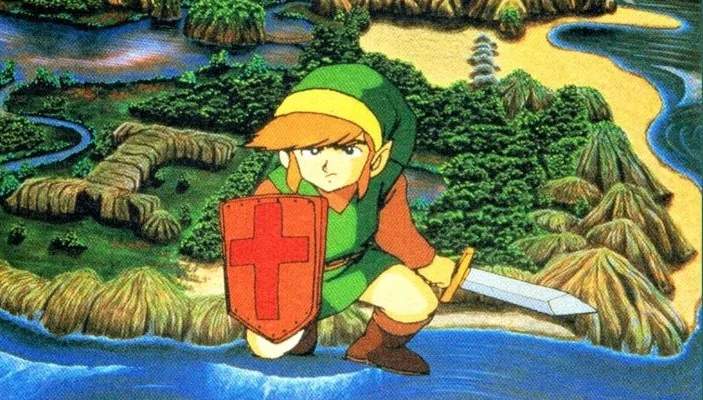
Game Over & Continue Screens
Even the most seasoned adventurers in Hyrule will face the dreaded "GAME OVER" screen. This section details what happens when Link falls in battle and how to best navigate the options presented to you.
Understanding the Game Over Screen
When Link's life force is depleted (all Heart Containers are empty), the screen will fade to black, and the iconic "GAME OVER" message will appear. This signifies the end of your current attempt at that life. You will then be presented with two crucial choices:
- CONTINUE: This option allows you to resume your adventure.
- SAVE: This option allows you to save your progress and then end your current play session.
The "CONTINUE" Option: Resuming Your Quest
Selecting "CONTINUE" is generally the preferred option if you wish to immediately jump back into the action. However, it's vital to understand the implications:
- Starting Location: Upon continuing, Link will always respawn at the starting point of the current quest. For the first quest, this is the cave where you receive the Wooden Sword. For subsequent quests (after completing a dungeon), Link will respawn at the entrance of the last dungeon you entered. This means you might have to re-traverse significant portions of the overworld.
- Heart Containers: Link will respawn with three full Heart Containers, regardless of how many you had when you perished. This can be a boon if you were low on health, but a minor setback if you had many more.
- Rupees: Your current Rupee count will be halved. This is perhaps the most punishing aspect of continuing, as Rupees are essential for purchasing vital items like the Blue Ring or Magic Shield. Plan your purchases carefully to avoid losing too much wealth.
- Items and Equipment: All permanent items you've collected (e.g., Boomerang, Bow, Magic Wand, Heart Containers from bosses) will be retained. Consumable items like Bombs and Arrows will also retain their current count.
- Dungeon Progress: If you were in a dungeon, any keys you've used or enemies you've defeated will reset. However, any dungeon items you've acquired (e.g., Compass, Map, Triforce Piece) will remain in your inventory.
The "SAVE" Option: Preserving Your Progress
Choosing "SAVE" is crucial for long-term progress and managing your play sessions. Here's what you need to know:
- Saving Your Game: This option writes your current game state to the cartridge's memory. All your acquired items, Heart Containers, Rupees, and dungeon progress (including collected Triforce Pieces) are recorded.
- Ending Your Session: After saving, your game will end, and you'll be returned to the title screen. You'll need to select "CONTINUE" from the main menu to load your saved game.
- Strategic Saving: It's highly recommended to save your game frequently, especially after acquiring significant items, defeating a difficult boss, or before attempting a particularly challenging dungeon. This mitigates the loss of progress should you face a "GAME OVER" later.
- Saving to Avoid Rupee Loss: If you find yourself with a large number of Rupees and are about to enter a dangerous area, consider saving your game. If you die, you can then choose to "SAVE" again (even with halved Rupees) or simply turn off the console and reload your previous save from the title screen, effectively "undoing" the Rupee loss. This is a common strategy for experienced players.
Optimal Strategies for Game Over Scenarios
- Assess Your Situation: Before choosing "CONTINUE" or "SAVE," quickly evaluate your current Rupee count and your proximity to important objectives.
- Rupee Management: If you have a substantial amount of Rupees (e.g., over 100) and are far from a shop or a save point, consider if the halved Rupee penalty from "CONTINUE" is worth it. Sometimes, it's better to "SAVE" and restart from your last save point to preserve your wealth.
- Dungeon Progress: If you've just obtained a crucial dungeon item like the Raft or Ladder, or defeated a boss to get a Heart Container and Triforce Piece, always choose "SAVE" immediately after exiting the dungeon (if possible) or upon your next death. This ensures you don't lose that hard-earned progress.
- The "Secret Save" Trick: While not explicitly an in-game option, you can effectively "save" at any point by holding UP and pressing A on Controller 2, then pressing START on Controller 1. This brings up the save menu, allowing you to save your game and quit without having to die first. This is invaluable for preserving progress before difficult encounters or when you need to stop playing unexpectedly.