The Age of Mythology UI is designed for efficiency. At the top of your screen, you'll find your resource counters: Food, Wood, Gold, and Favor. These are your lifeblood, so keep an eye on them. Below that, on the left, is the mini-map, crucial for situational awareness and scouting. You can click and drag on the mini-map to quickly navigate your view across the battlefield. The right side of the screen houses the command panel. When a unit or building is selected, this panel displays its actions, build options, and statistics. For example, selecting a Town Center will show options to train Villagers or advance to the next age. Understanding what each icon represents will significantly speed up your decision-making.
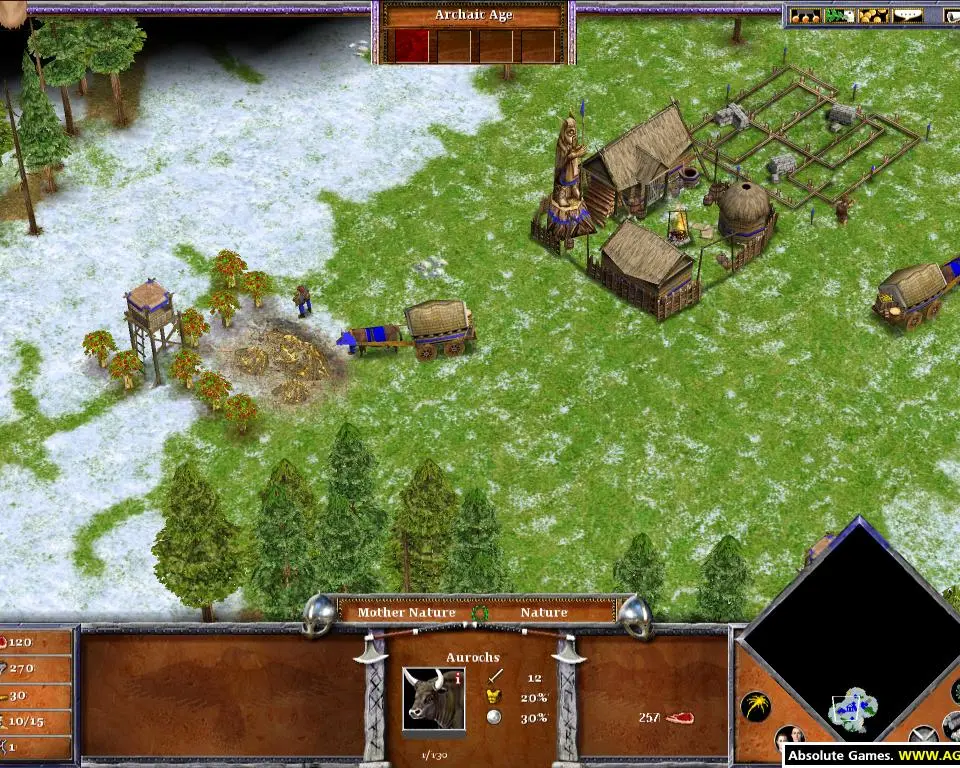
At the bottom center, you'll see your selected units' portraits and health bars. Grouping units using Ctrl + Number (e.g., Ctrl+1) allows for quick selection and command via hotkeys. The top right corner often displays notifications about events like 'Age Up' completion or 'God Power' availability. Familiarize yourself with these elements, as quick access to information and commands is key to victory.