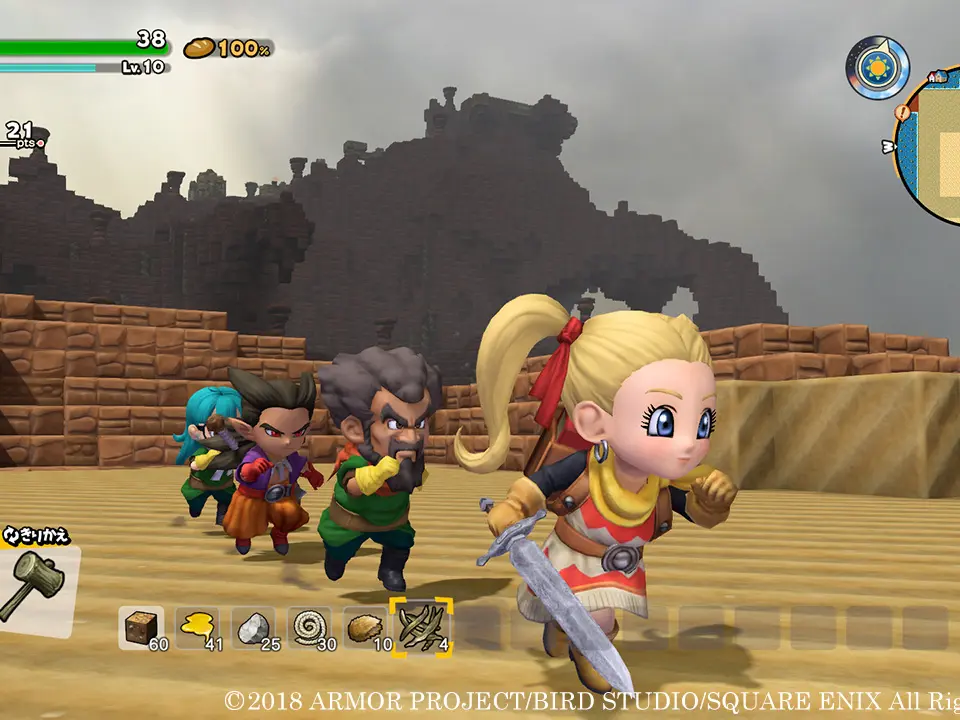
The UI provides vital information at a glance. In the top left, you'll see your health bar (red hearts) and hunger meter (fork and knife icon). Keeping both topped up is crucial for survival. The bottom left displays your current objective. The bottom right shows your currently equipped item and its durability, if applicable. Your inventory can be accessed via the '+' (Switch) or 'Options' (PlayStation) button, where you can manage items, craft, and view your Builderpedia. Pay attention to the mini-map in the top right, which shows your current location, important landmarks, and quest markers. Learning to quickly interpret these elements will significantly improve your efficiency and awareness in the game world.