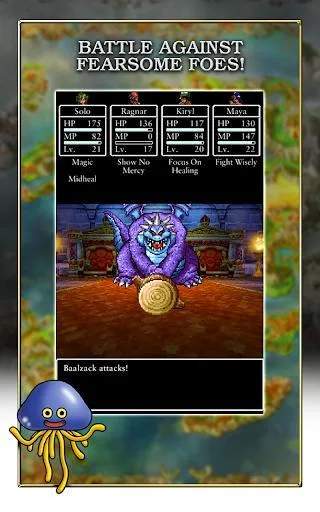
Dragon Quest IV utilizes a straightforward control scheme, typical of classic RPGs. On most platforms, the directional pad or analog stick controls character movement. The 'A' button (or equivalent) is used for interaction (talking to NPCs, opening chests, examining objects) and confirming menu selections. The 'B' button (or equivalent) is typically used to cancel actions or open the main menu. The main menu is your hub for managing your party, checking equipment, using items, reviewing spells, and saving your game.

The UI is clean and intuitive. In battle, you'll see your party members' HP/MP, and a command menu will appear for each character's turn. Out of battle, the top-left corner often displays your current location, and the bottom-right might show a mini-map or other contextual information. Always remember to save frequently, especially before entering new areas or engaging in boss battles. The 'Zoom' spell and 'Chimaera Wing' item are invaluable for quick travel, saving you precious time and resources. Mastering these basic controls and understanding the UI will make your exploration and combat much more efficient.
Compare controls and user interface inDragon Quest III