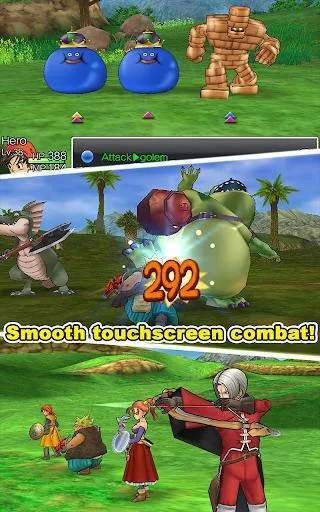
The User Interface (UI) in Dragon Quest VIII is designed to be intuitive and provide all necessary information at a glance. When exploring the world, you'll see your current party's HP and MP bars at the bottom of the screen, along with a mini-map in the top-right corner. The main menu, accessed by pressing 'Triangle' (PS2), is your central hub for managing your party. It contains several crucial options:
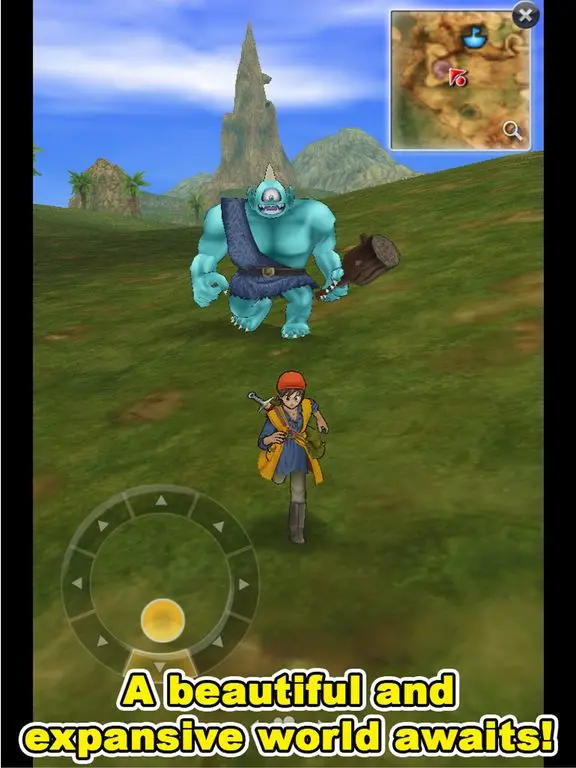
- Items: Manage your inventory, use consumables, and equip key items.
- Spells & Abilities: View and use learned spells and character-specific abilities.
- Equip: Change weapons, armor, and accessories for each character.
- Status: Check detailed character statistics, current equipment, and skill point allocation.
- Tactics: Set AI behavior for your party members in battle.
- Misc.: Access game settings, save your game (at churches), and view the world map.
- Zoom: Use the Zoom spell to instantly travel to previously visited towns.
During battles, the UI changes to display enemy health bars (once identified), your party's HP/MP, and a command menu for each character. Understanding where to find information and how to navigate these menus is crucial for effective gameplay and strategic decision-making, both in and out of combat. Don't hesitate to spend some time exploring each menu option to familiarize yourself with its contents.