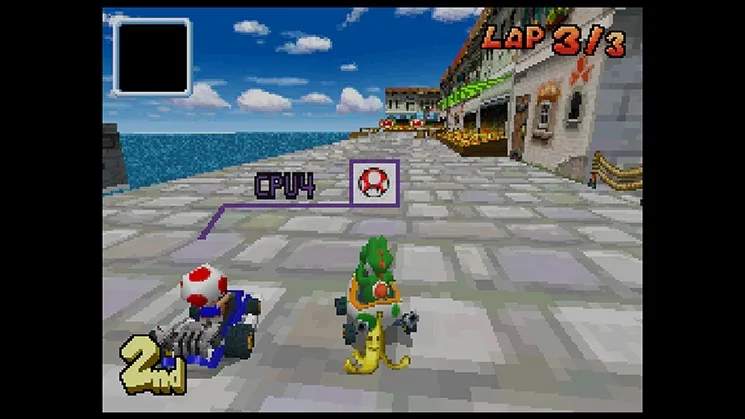
Multiplayer Modes (Local & Wi-Fi)
Mario Kart DS offers robust multiplayer experiences, allowing you to race and battle with friends nearby or across the globe. Understanding the nuances of each mode and employing strategic item usage will elevate your game.
Local Multiplayer: DS Download Play & Multi-Card Play
Local multiplayer is perfect for impromptu races with friends in the same room. You have two options:
DS Download Play (Single-Card Play)
This mode allows up to eight players to compete using only one Mario Kart DS Game Card. While incredibly convenient, there are some limitations:
- Player Requirements: One player must have the Mario Kart DS Game Card; all other players need a Nintendo DS system.
- Setup Steps:
- The host player (with the game card) selects "Multiplayer" from the main menu, then "DS Download Play."
- Other players select "DS Download Play" from their DS system's main menu (before inserting any game cards).
- Once connected, the host can choose between "Grand Prix" or "Battle" mode.
- Track & Character Limitations:
- Characters: All players are restricted to playing as Shy Guy.
- Karts: All players use the Standard Kart.
- Tracks: Only a limited selection of tracks is available. For Grand Prix, you'll typically find courses like Figure-8 Circuit, Yoshi Falls, Cheep Cheep Beach, and Luigi's Mansion. Battle mode will feature standard arenas.
- Strategy for Single-Card Play:
- Master Shy Guy: Since everyone is Shy Guy, focus on mastering general racing techniques like power sliding and drafting.
- Item Awareness: Items like the Red Shell and Green Shell are still potent. Since everyone is on an even playing field character-wise, item management becomes even more critical. Use Mushrooms for shortcuts or quick boosts.
- Battle Mode Tactics: In battle modes, the limited arenas make items like the Bob-omb and Banana particularly effective for area denial or direct hits.
Multi-Card Play
For the full Mario Kart DS experience with local friends, Multi-Card Play is the way to go. Each player needs their own Mario Kart DS Game Card.
- Player Requirements: Up to eight players, each with a Mario Kart DS Game Card and a Nintendo DS system.
- Setup Steps:
- All players insert their Mario Kart DS Game Card and select "Multiplayer" from the main menu, then "Multi-Card Play."
- One player acts as the host and creates a room. Other players join the host's room.
- The host can then select "Grand Prix," "VS Race," or "Battle."
- Full Customization:
- Characters & Karts: All unlocked characters and karts are available for selection. This allows for diverse strategies based on character stats (speed, acceleration, weight, handling).
- Tracks: All unlocked tracks, including retro courses, are available.
- Game Modes:
- Grand Prix: Compete in a series of cups.
- VS Race: Customize races with specific track selections, item settings, and number of laps.
- Battle: Engage in Balloon Battle or Shine Runners.
- Advanced Multi-Card Strategies:
- Character Synergy: Experiment with different character and kart combinations. For example, a heavy character like Bowser with a high-speed kart might dominate open tracks, while a lighter character like Toad with good handling could excel on technical courses.
- Item Customization (VS Race): If playing VS Race, consider adjusting item frequency. A "Shells Only" setting can lead to chaotic, skill-based racing, while "Powerful Items" can introduce more unpredictable outcomes with items like the Blue Shell and Bullet Bill.
- Battle Mode Mastery:
- Balloon Battle: Focus on aggressive item usage. The Star grants temporary invincibility and allows you to ram opponents for a balloon. The Triple Red Shells are excellent for quickly popping multiple balloons.
- Shine Runners: Prioritize collecting and holding Shines. The Fake Item Box can be a crucial defensive item to protect your collected Shines from pursuers. A well-placed Banana Peel can also cause a crucial drop.
Nintendo Wi-Fi Connection (Wi-Fi Play)
The Nintendo Wi-Fi Connection allowed players to race against others worldwide. While official support for the Nintendo Wi-Fi Connection has ended, some players may still utilize fan-made servers to access this feature. If you are using such a service, the following guidelines apply:
- Player Requirements: A Nintendo DS system, a Mario Kart DS Game Card, and a compatible Wi-Fi connection.
- Setup Steps:
- From the main menu, select "Multiplayer," then "Nintendo WFC."
- Choose "Play with Friends" (if you've exchanged Friend Codes) or "Play with Anyone."
- The system will attempt to connect to the server and find opponents.
- Game Modes:
- VS Race: The primary mode for Wi-Fi play, featuring races against up to three other players.
- Battle: Not typically available for "Play with Anyone" but might be an option with "Play with Friends."
- Wi-Fi Specific Strategies:
- Adaptability is Key: You'll encounter a wide range of skill levels and kart/character choices. Be prepared to adapt your racing lines and item usage.
- Defensive Item Usage: Online races can be very competitive. Holding a Green Shell or Banana Peel behind you can block incoming Red Shells, a crucial defensive maneuver.
- Blue Shell Avoidance: If you're in first place and see the dreaded Blue Shell coming, a well-timed Mushroom can sometimes allow you to boost past the explosion radius, minimizing its impact. Alternatively, if you have a Star, activate it just before the shell hits.
- Drafting: Online, drafting (following closely behind an opponent to gain a speed boost) is a powerful technique to catch up or maintain speed.
- Lag Awareness: Be mindful of potential lag. Sometimes, item hits or collisions might appear slightly delayed. Anticipate opponent movements rather than reacting solely to what's on screen.