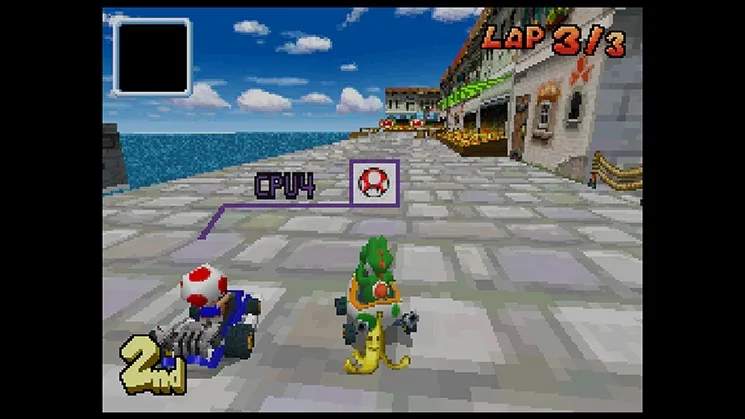
VS Mode
VS Mode in Mario Kart DS offers a customizable racing experience against AI opponents. It's an excellent way to practice tracks, experiment with different kart and character combinations, and hone your item usage strategies without the pressure of Grand Prix progression. Understanding the settings and how to exploit item mechanics will give you a significant edge.
Setting Up Your Race
Upon selecting VS Mode from the main menu, you'll be presented with several options to tailor your race:
- Number of Races: Choose how many races you want to compete in. This can range from a single race to a longer series. For quick practice, one race is ideal; for more comprehensive testing of your skills across multiple tracks, consider a higher number.
- CPU Difficulty: This is crucial for effective practice.
- Easy: Opponents are less aggressive and make more mistakes. Good for learning track layouts and basic item usage.
- Normal: A balanced challenge. AI will use items more effectively and maintain a decent pace.
- Hard: CPU opponents are highly skilled, rarely make mistakes, and will aggressively use items to maintain their position. This is the best setting for serious practice to prepare for Wi-Fi or local multiplayer.
- Teams: You can choose to race individually or in teams. Team races can be chaotic but offer unique strategic opportunities, especially with item distribution.
- Item Frequency: This setting directly impacts the flow of the race.
- None: No items appear on the track. This focuses purely on driving skill and kart performance. Excellent for mastering drift lines and shortcuts.
- Normal: Standard item distribution. A good balance for typical gameplay.
- Plenty: Item boxes are more abundant, and powerful items appear more frequently. This can lead to more unpredictable and action-packed races.
Item Strategies for VS Mode
Mastering item usage is key to success in Mario Kart DS. Here's how to make the most of the items you'll encounter:
- Green Shell:
- Offensive: Aim carefully or fire backward to hit trailing opponents.
- Defensive: Hold behind you by pressing and holding the item button to block incoming Red Shells or other projectiles.
- Red Shell:
- Offensive: Always prioritize using this on opponents directly in front of you. It homes in, making it reliable.
- Defensive: Like the Green Shell, it can block incoming attacks when held behind.
- Banana:
- Offensive: Drop strategically on boost pads, narrow passages, or just after item boxes to catch unsuspecting opponents.
- Defensive: Hold behind you to block Red Shells. If you have three, you can create a defensive barrier.
- Mushroom:
- Offensive: Use to cut corners, take shortcuts over rough terrain, or gain a burst of speed to overtake rivals.
- Defensive: Can be used to recover quickly after being hit by an item.
- Star:
- Offensive/Defensive: Grants temporary invincibility and a speed boost. Use it to plow through opponents, ignore hazards, and take shortcuts. It's also excellent for recovering from a bad position.
- Lightning:
- Offensive: Shrinks all opponents and makes them vulnerable. Best used when you're in a mid-pack position to cause maximum disruption.
- Blue Shell (Spiny Shell):
- Offensive: Targets You in 1st place. If you're in a lower position, this is your ticket to closing the gap. No real defensive use for yourself, but it clears the path ahead.
- Fake Item Box:
- Offensive: Drop in similar locations to Bananas (boost pads, narrow areas). It looks identical to a real item box, making it a deceptive trap.
- Bob-omb:
- Offensive: Throw forward or drop behind. It explodes after a short delay or upon contact, creating a blast radius that can hit multiple karts.
- Triple Items (Green Shells, Red Shells, Mushrooms, Bananas):
- Offensive/Defensive: Provides multiple uses of an item. Holding three Bananas or Shells behind you creates a formidable rotating shield.
Advanced VS Mode Tactics
- Ghost Racing: While not a direct VS Mode feature, you can race against your own ghosts from Time Trials. Use this to perfect your lines and compare your performance against your best runs.
- Character and Kart Synergy: Experiment with different character weights and kart stats. A heavy character like Bowser in a high-speed kart might dominate open tracks, while a lighter character like Toad in a high-acceleration kart could excel on technical courses.
- Drifting and Snaking: Master the art of power sliding and "snaking" (repeatedly drifting to gain mini-turbos) to maintain speed and gain boosts. This is especially vital on higher CPU difficulties and in "No Items" races.
- Anticipate CPU Behavior: On Hard difficulty, AI opponents are adept at using items. Learn to anticipate when they might fire a Red Shell or drop a Banana. Watch their kart's item slot on the bottom screen.
- Practice Shortcuts: Many tracks have hidden shortcuts that require a Mushroom or precise driving. VS Mode is the perfect environment to practice these without the pressure of Grand Prix.
By utilizing these strategies and customizing your VS Mode experience, you'll not only have fun but also significantly improve your Mario Kart DS skills for any challenge the game throws at you.