The User Interface in Portal is minimalistic, designed to keep your focus on the puzzle at hand. You won't find complex health bars or inventories. Here's what you'll see:
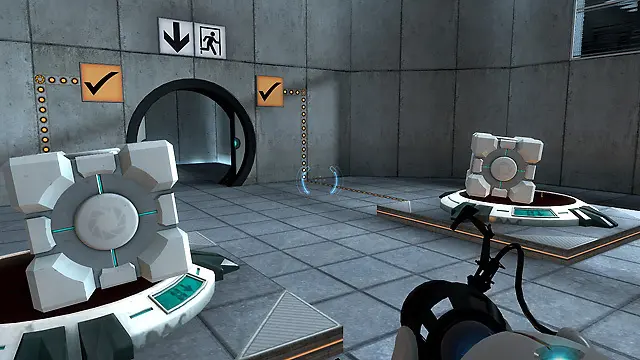
- Crosshair: Located in the center of your screen, this indicates where your Portal Gun is aiming. It changes color to indicate if a surface is portal-friendly (white) or not (red).
- Portal Gun Display: In the bottom right, you'll see a small representation of your Portal Gun, indicating which color portal you're about to fire (blue for left-click, orange for right-click).
- Subtitles/GLaDOS Dialogue: Dialogue from GLaDOS, your AI overseer, will appear at the bottom of the screen. Pay attention to her instructions and sarcastic remarks, as they often contain subtle clues or warnings.
- Pause Menu: Accessed by pressing 'Esc', this allows you to save, load, adjust settings, or exit the game.
The clean UI ensures that you're fully immersed in the puzzle-solving experience without unnecessary distractions.