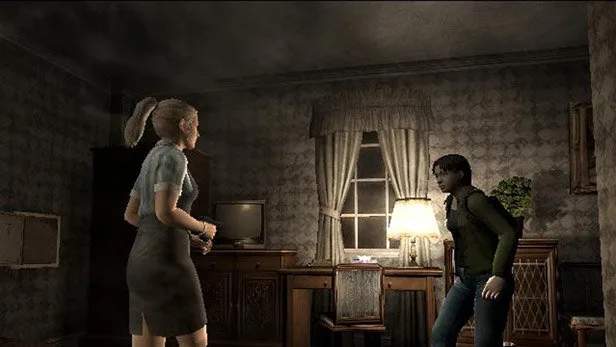
Multiplayer Lobby & Connection
Venturing into the infected streets of Raccoon City with a team of fellow survivors is where Resident Evil Outbreak truly shines. This section will guide you through the intricacies of connecting to the multiplayer servers, navigating the lobby, and ensuring a smooth co-op experience.
Establishing Your Connection
Before you can join or host a game, you'll need to ensure your PlayStation 2 is properly configured for online play. While the official servers are no longer active, the dedicated fan community has created private servers that allow players to relive the Outbreak experience. This guide assumes you are using one of these community-driven methods.
- Network Adapter Setup: Ensure your PlayStation 2 Network Adapter (either the external attachment for Fat PS2 models or the integrated adapter for Slim PS2 models) is correctly installed and connected to your router via an Ethernet cable.
- DNS Configuration: You will need to manually configure your PS2's DNS settings to point to the private server's IP address. This is a critical step.
- From the PS2 Browser, navigate to the Network Settings.
- Select your configured connection (or create a new one).
- Choose "Manual" for DNS settings.
- Enter the Primary DNS and Secondary DNS provided by the specific private server community you are using. These IPs are often found on fan forums or dedicated Discord servers.
- Save your settings and test the connection. A successful test indicates you can now access the private servers.
- Game Disc: Insert your Resident Evil Outbreak or Resident Evil Outbreak File #2 game disc.
- Online Mode Selection: From the main menu of the game, select "Network Play" or "Online Mode" (wording may vary slightly between versions).
Navigating the Online Lobby
Once connected to the private server, you'll be dropped into the main online lobby. This is your hub for finding games, communicating with other players, and setting up your own sessions.
Lobby Interface Explained
- Server List: Displays available game rooms. Each entry typically shows:
- Room Name: Often indicates the scenario (e.g., "Outbreak - The Hospital," "Below Freezing Point").
- Players: Current number of players in the room (e.g., "2/4").
- Host: You hosting the room.
- Password: Indicates if the room is password-protected (a padlock icon usually appears).
- Chat Window: Located at the bottom of the screen, this allows you to communicate with all players currently in the lobby. Use the on-screen keyboard or a USB keyboard (highly recommended!) to type messages.
- Player List: On the side, you'll see a list of all players currently in the lobby.
- Options/Settings: Accessible via a dedicated button (usually Triangle or Square), this allows you to adjust your online profile, sound settings, and sometimes even character preferences before entering a game.
Joining a Game
To join an existing game, follow these steps:
- Browse the Server List: Scroll through the list to find a room that suits your preference. Look for rooms with available slots (e.g., "1/4," "2/4," "3/4").
- Select a Room: Highlight the desired room and press X.
- Password Entry (if applicable): If the room is password-protected, a prompt will appear. Enter the correct password using the on-screen keyboard or USB keyboard. If you don't know the password, you'll need to ask the host in the main lobby chat.
- Character Selection: Once in the room, you'll be taken to the character selection screen. Choose your preferred survivor. Coordinate with your teammates via chat to ensure a balanced team composition (e.g., having a character with healing abilities like Cindy or a strong attacker like Kevin).
- Ready Up: After selecting your character, you'll need to "Ready Up" (usually by pressing a specific button, indicated on-screen). All players must ready up for the host to start the game.
Hosting a Game
If you prefer to control the game settings or can't find a suitable room, you can host your own:
- Select "Create Room": From the main lobby, choose the option to create a new room (often indicated by a specific button prompt).
- Room Settings: You will be presented with several options:
- Scenario: Choose the desired scenario (e.g., "Outbreak," "Below Freezing Point," "The Hive").
- Difficulty: Set the difficulty level (Easy, Normal, Hard, Very Hard).
- Room Name: Give your room a descriptive name. This helps other players identify your game.
- Password: Optionally set a password if you only want specific players to join (e.g., friends). Remember to share this password with them in the lobby chat or through external communication.
- Player Limit: Set the maximum number of players (usually 2-4).
- Confirm Creation: Once all settings are to your liking, confirm to create the room.
- Wait for Players: Your room will now appear on the server list for other players to join. You can chat with incoming players and coordinate character choices.
- Start Game: Once all desired players have joined and "Ready Up," you, as the host, can initiate the game.
Communication and Etiquette
Effective communication is paramount in Resident Evil Outbreak's multiplayer. While the game offers limited in-game phrases, a USB keyboard is highly recommended for real-time text chat.
- USB Keyboard: Connect a standard USB keyboard to your PS2 for much faster and more efficient communication.
- In-Game Phrases: The game provides a set of pre-set phrases (e.g., "Help!", "Follow me!", "I'm going ahead!"). Use these to convey basic intentions quickly.
- Teamwork: Remember that Outbreak is a cooperative experience. Share items, cover your teammates, and work together to solve puzzles and overcome obstacles.
- Respect Other Players: Be courteous and avoid disruptive behavior. If you're new, don't be afraid to ask for guidance.
With these steps, you'll be well-equipped to navigate the multiplayer lobbies and enjoy the thrilling cooperative gameplay that Resident Evil Outbreak has to offer!